
It is generally possible to leave a modern smartphone connected to a charger overnight. Its electronics control the charging process and do not allow the battery to continuously accumulate energy after reaching full charge. However, this does not mean that overnight charging does not affect the battery at all. The problem is not so much the duration of the connection, but the temperature of the battery and the time during which it is almost fully charged. Both factors can accelerate the natural aging of lithium-ion batteries.
The main rule: charging your phone overnight is acceptable if you use working compatible equipment, ensure proper cooling, and properly configure battery protection. At the same time, to maximize its lifespan, it is useful to limit prolonged stay at 100%.
We'll look at what happens to a smartphone after it's fully charged, why manufacturers offer an 80% limit, how optimized charging works on the iPhone, Samsung Galaxy, and Google Pixel, and what habits can really damage your battery.
What happens to the phone when it is charged to 100%
Modern smartphones use battery management systems that monitor voltage, current, temperature, and charge level.
During charging, the electronics gradually change the power supply parameters.
Initially, when the battery is discharged, charging usually occurs faster. As you approach full capacity, the current decreases.
This helps limit the load on the battery.
When the battery reaches the set limit, the system stops active charging. If the smartphone remains connected, powering its electronics and maintaining the charge is controlled by special circuits.
Can the phone recharge overnight?
During normal operation of a modern smartphone, the battery should not be charged uncontrollably beyond the limits specified by the manufacturer.
For example, on an iPhone, the process automatically stops when it reaches full charge. It can resume if necessary when the battery level decreases.
Similar mechanisms are also provided in modern Android smartphones.
Therefore, the statement that charging the phone continuously throughout the night will definitely damage the battery is incorrect.
However, the protection system does not cancel the natural chemical aging of the battery.
Even if the smartphone is not recharging, prolonged exposure to maximum voltage can negatively affect long-term battery life.
Why overnight charging can accelerate battery wear
Most modern smartphones use lithium-ion or lithium-polymer batteries.
Their capacity gradually decreases due to chemical processes inside the batteries.
This is normal aging that happens regardless of whether you charge your phone during the day or at night.
But the intensity of aging depends on operating conditions.
High charge level
For lithium-ion batteries, prolonged exposure to a high charge level places additional stress on internal components.
That is why smartphone manufacturers have introduced features that limit charging to 80–95% or delay the completion of the process until the time the owner usually wakes up.
If your phone is charged to 100% at 1am and remains plugged in until 7am, the battery can spend several hours almost fully charged.
This does not mean immediate damage. However, regular repetition of such conditions can accelerate capacity loss compared to a regime that reduces the time at full charge.
Elevated temperature
Heating is one of the most important factors affecting battery life.
During charging, some of the energy is converted into heat.
If the smartphone is under a blanket, on a soft mattress, or next to a heater, heat dissipation deteriorates.
The combination of high temperature and prolonged battery life at maximum charge is particularly undesirable.
Number of charging cycles
With each cycle of use, the battery gradually loses some of its initial capacity.
However, a cycle does not mean each individual connection to an outlet.
For example, if you used 40% of the charge, recharged your phone, and used another 60% the next day, the total consumption corresponds to approximately one full cycle.
Therefore, several short recharges are not necessarily worse than a single charge from almost zero to 100%.
Should you only charge your phone to 80%?
The 80% rule has a technical justification, but is not mandatory for every user.
Reducing the maximum charge level can reduce the time the battery is at high voltage and help slow down its aging.
However, there is an obvious trade-off: the phone gets less power per day.
If the battery is large and the smartphone usually has 30–40% charge in the evening, the limit to 80% may have almost no effect on the comfort of use.
If the phone is needed for navigation, work, long trips, or unstable power supply, a full charge may be more practical.
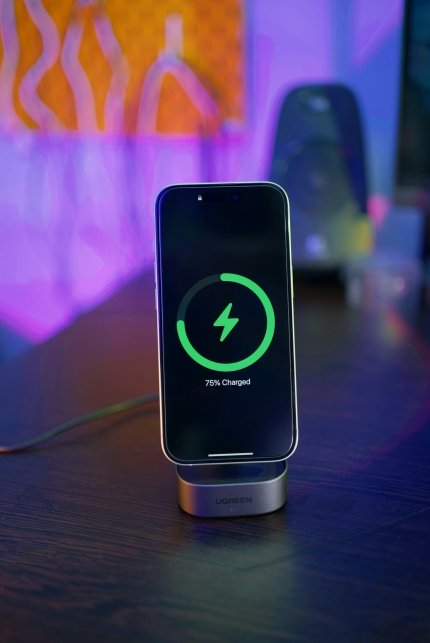
Which charging level to choose
| Maximum charge | For which situations is it suitable? |
| 80% | Daily use with low power consumption |
| 85–90% | A compromise between autonomy and resource conservation |
| 95% | When you need a nearly full charge |
| 100% | Travel, long work days, lack of access to an outlet |
These values are practical scenarios and not a universal guarantee of a specific battery life.
Charging to 100% is not a mistake in itself. What matters more is how often the battery is fully charged, whether it overheats, and how intensively it is used.
How optimized overnight smartphone charging works
Many modern phones can automatically manage charging so that the battery doesn't stay at 100% all night.
Typically, the system analyzes the user's habits and predicts the time to disconnect from the charger.
For example, if a phone is regularly plugged in at 11:00 PM and unplugged at 7:00 AM, it may initially charge to about 80%, pause the process, and complete it shortly before morning.
This allows you to combine a full charge with less time at maximum battery level.
It is important to note that the feature may not work every day. If the charging schedule is irregular, the system may not always correctly predict the disconnection time.
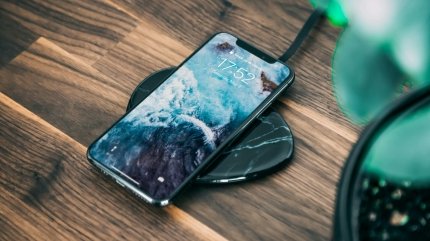
How to set up charging on iPhone
Apple uses an optimized battery charging feature that helps reduce the time it takes for a battery to fully charge.
On iPhone 15 and newer models, you can also set a maximum charging level.
For iPhone 15 and newer
Open "Settings".
Go to the "Battery" section.
Select "Charging".
Set the desired limit from 80% to 100% in 5% increments.
If the limit is set to 100%, you can use the optimized charging function, which delays the completion of charging under appropriate conditions.
When a lower limit is selected, the smartphone stops charging near the set value.
Sometimes, iPhone may charge to 100% even with throttling enabled. This is to maintain accurate battery level estimation.
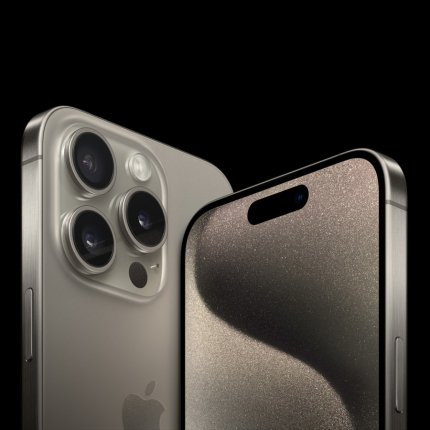
For iPhone 14 and earlier models
On most supported models, you can open the Battery section, go to battery health settings, and enable optimized charging.
The separate 80–95% limit selection available on newer iPhones is not available for these models.
The exact menu names may vary depending on your iOS version.
How to set up night charging on Samsung Galaxy
On Samsung Galaxy smartphones, the availability of settings depends on the model and One UI version.
One UI 6.1 introduced several battery protection modes.
Basic mode stops charging when it reaches 100% and resumes when the charge level drops.
Adaptive mode takes into account your approximate sleep schedule and helps reduce the time the battery stays fully charged.
Maximum protection limits charging to a set level.
In newer versions of One UI, the capabilities have become more flexible: for compatible models, several limit values are provided for selection, including 80%, 85%, 90% and 95%.
To check the available options, open Settings, go to Battery, and find Battery Saver.
Specific modes may vary depending on the device and software.
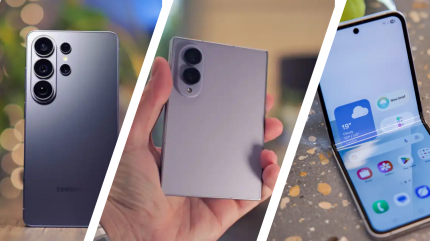
How Google Pixel Adaptive Charging Works
Google Pixel smartphones also have charging optimization features.
Adaptive mode can take into account the usual time of phone use and complete charging closer to the moment of disconnection from the power source.
On supported models, a limit of up to 80% is available.
To configure it, you need to open the battery section, find the battery health settings, and select charging optimization.
On compatible Pixel 6a and later models, you can set the limit to 80%.
The system occasionally performs a full charge to maintain accurate battery level readings. Therefore, the appearance of 100% while the limit is active does not necessarily indicate a malfunction.
As of the date of preparation of the material, the exact names of the parameters depend on the model and Android version.
Where is it safe to leave your phone charging overnight?
The biggest danger of overnight charging is not related to the fact of connecting the smartphone to an outlet, but to faulty equipment, a damaged battery, and unfavorable cooling conditions.
It is best to use a hard, flat, and dry surface for charging.
A bedside table, table, or other stable surface on which the device is not covered with a cloth is suitable.
Why you shouldn't charge your phone under your pillow
Pillows, blankets, and bedding impair heat dissipation.
If the device or charging adapter is placed under a cloth, its temperature may increase.
In the event of equipment failure, this further increases the risk of dangerous overheating.
Therefore, the phone should not be left under a pillow, blanket, mattress, or your own body while charging.
This also applies to charging adapters and wireless stations.
Can I leave my phone by the bed?
Yes, if it lies on a hard surface with sufficient air access.
There's no need to specifically move a working smartphone to another room just because it charges at night.
However, you should not place the device near a radiator, heater, or in direct sunlight.
Old cables, damaged sockets, and charging adapters of unknown origin require special attention.
Which charger is safe to leave plugged in overnight?
The original adapter from the smartphone manufacturer is one option, but not the only one.
High-quality compatible third-party chargers can also provide safe charging.
The main thing is compliance with the smartphone's technical requirements, applicable safety standards, and proper equipment condition.
What to look out for
Supported charging standards and compliance with phone specifications.
No damage to the adapter housing.
A working cable without exposed conductors and broken connectors.
Reliable contact in the socket.
No unusual odor, sparks, or excessive heat.
Normal ventilation of the device during operation.
A cheap adapter without a clear origin and confirmed compliance with safety requirements can create additional risks.
You should also not use cables that only charge the phone in a certain position or have a damaged plug.
Does fast charging harm your phone's battery?
Fast charging allows more energy to be transferred in a shorter time, but comes with additional requirements for temperature and current control.
Modern smartphones control charging speed automatically.
They may reduce power as they approach full charge or as they heat up.
Therefore, fast charging does not automatically damage the battery.
However, under adverse conditions, elevated temperatures can accelerate its aging.
Can I charge my phone with a 65 or 100 W adapter?
If the smartphone and charger support a compatible charging protocol, the phone will usually only receive as much power as it can accept.
The 100 W label on the adapter means its maximum declared power, not that it will constantly supply it to any smartphone.
However, cable, protocol, and charger compatibility remains important.
Do not use unknown adapters just because the plug physically fits the phone jack.
Does slow charging at night make sense?
If the smartphone remains connected to power for several hours, the maximum charging speed is usually not needed.
If available, you can use a slower mode or adaptive charging.
This can help reduce heat load, although the actual result depends on the smartphone and charging equipment.
Is it safe to wirelessly charge your phone overnight?
Wireless charging works by transferring energy between the coils of the charger and the smartphone.
Part of the energy is lost as heat.
Therefore, under some conditions, wireless charging may be accompanied by more noticeable heating than wired charging.
Especially if the smartphone is incorrectly positioned on the station, an inappropriate case is used, or there are foreign objects between the devices.
It is the heating, not the absence of a cable, that is the main factor to pay attention to.
For nighttime use, it is important to use a compatible base station, position the phone correctly, and ensure ventilation.
Do not leave coins, keys, or other metal objects between the phone and the charging surface.
If the device becomes unusually hot during wireless charging, you should stop charging and check the cause.
Do I need to remove the case when charging?
Not always.
Many modern cases are designed for use with wired and wireless charging.
However, a thick or poorly ventilated case can make it difficult for heat to dissipate.
If your phone gets noticeably hot, it's worth checking to see if the temperature decreases after removing the case.
This is especially true during fast charging, wireless charging, and running resource-intensive applications.
At the same time, you don't need to focus only on the feeling of warmth of the body.
A slight increase in temperature during charging is normal.
Unusually high heat, system temperature warnings, or automatic charging termination are causes for concern.
Do I need to discharge my phone to 0% before charging?
No. Modern lithium-ion batteries do not require regular full discharge before connecting to a charger.
The habit of discharging your phone until it automatically turns off comes mostly from perceptions of older battery technologies.
For modern smartphones, regular partial charging is a normal operating mode.
For example, you can connect your phone to a charger at 35%, charge it to 75%, and continue using it.
This does not create a separate complete cycle just by connecting the cable.
Do you sometimes need to charge your phone to 100%?
Such charging is not dangerous in itself.
Additionally, some smartphones periodically use a full charge to more accurately estimate the remaining capacity.
Therefore, there is no need to be afraid of accidentally reaching 100%.
At the same time, there is no need to forcibly discharge the battery to zero for regular battery "training".
How to properly charge your phone if the power goes out frequently
With unstable power supply, priorities may change.
If you need your smartphone for communication, navigation, notifications, or work, a larger battery life may be more important than the most gentle charging mode.
In such a situation, a limit of 80% is not always practical.
You can temporarily set the limit to 100% or use adaptive charging if your phone supports the feature.
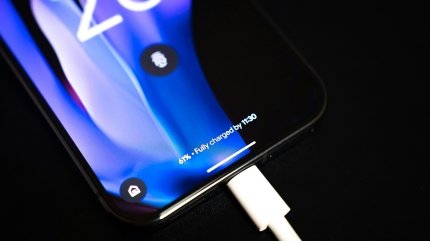
Can I charge my smartphone from a power bank all night?
Yes, if the power bank and cable are in good condition, compatible with the smartphone, and used according to the manufacturers' instructions.
However, a power bank also contains a battery and requires proper cooling.
You should not put it under a pillow, cover it with a blanket, or leave it near heating devices.
It is especially dangerous to use power banks with a deformed case, signs of swelling, or unusual heating.
How to understand that overnight charging is damaging the battery
The natural decrease in capacity occurs gradually, so it is impossible to determine the degree of battery wear based on one morning charge.
More revealing are the changes over a few months.
For example, the phone may start working noticeably less on a single charge, even though the method of use remains approximately the same.
However, the reason for rapid discharge is not necessarily the aging of the battery.
Battery life is also affected by display brightness, cellular connectivity, background applications, temperature, and software updates.
Where to check battery status
On iPhone, you can find this information in your battery settings. Available metrics vary by model.
In particular, on newer iPhones, you can view the maximum capacity and number of charging cycles.
On Android, the capabilities vary. Some Google Pixel smartphones and some other manufacturers display diagnostic information about the battery health.
It is important to understand that the maximum capacity value is an estimate of the system, not a perfectly accurate laboratory measurement.
When you shouldn't leave your phone charging overnight
There are situations in which charging should be stopped regardless of the charge level.
This primarily applies to damaged or clearly faulty equipment.
Dangerous signs may include a swollen battery, deformation of the case, peeling of the display due to internal pressure, an unusual chemical smell, hissing, smoke, or excessive heating.
Under these circumstances, do not continue charging or attempt to puncture or compress the battery yourself.
If the device overheats but there are no signs of ignition, stop charging if safe to do so and let it cool in a safe place.
If there is smoke, fire, or signs of dangerous battery damage, do not touch the device and act in accordance with fire safety regulations.
You also cannot charge a smartphone with a wet connector until the manufacturer allows you to reconnect.
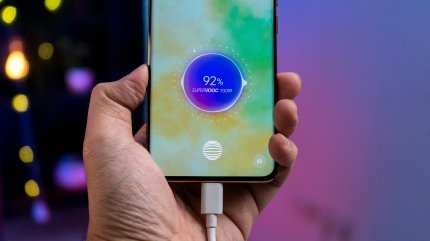
The most common myths about charging your phone
The phone will definitely recharge if you leave it until morning
Not true. Modern smartphones monitor the completion of charging.
But staying at a high charge level for a long time can increase battery wear.
Charging to 100% is always harmful
No. A full charge is the normal operating mode of a smartphone.
The potential drawback is primarily related to prolonged exposure to maximum charge, especially at elevated temperatures.
You should always maintain a charge between 20% and 80%
This is a useful guideline for reducing battery drain, but is not a mandatory requirement.
If you need maximum autonomy, you can charge your phone to 100%.
Fast charging will definitely damage the battery
Not necessarily. Modern devices have power and temperature control systems.
But prolonged overheating remains undesirable regardless of the charging speed.
The phone needs to be fully discharged once a month.
This is not necessary for normal operation of modern lithium-ion batteries.
Some devices can perform full charges on their own to clarify the indicators, but this does not mean that you need to regularly discharge your smartphone before turning it off.
How to safely charge your phone at night: practical rules
For everyday use, a few simple steps are enough.
Check if optimized charging or the required charge limit is enabled.
Use a working compatible adapter and cable.
Place your smartphone on a hard, dry surface with normal ventilation.
Do not cover your phone, power bank, or charger with a cloth.
Avoid charging near heaters and in high temperature conditions.
If your device is unusually hot, check the case, cable, adapter, and charging conditions.
Do not use equipment that is damaged or shows signs of malfunction.
If your phone regularly stays plugged in overnight, the charging optimization feature is the easiest way to reduce the time your battery stays fully charged without changing your usual routine.
Conclusion
A modern smartphone can be left charging overnight: its electronics control the process and prevent the usual uncontrolled recharging.
However, temperature, number of cycles, and the time the battery is almost fully charged are important for battery longevity.
The best balance is achieved by having a working charger, proper ventilation, and optimized charging. If maximum battery life is not needed, a limit of 80–90% can help reduce wear and tear. When it is important to have a full battery, charging to 100% remains the normal way to use your phone.
FAQ: Frequently asked questions about charging your phone overnight
Can I leave my phone charging overnight?
Yes. Modern smartphones automatically monitor the process and stop active charging after reaching a set level. It is important to use working equipment and not allow the phone to overheat.
Does charging your phone every night damage your battery?
Regular overnight charging does not mean that rapid damage will occur. However, leaving the battery at a high charge level for a long time, especially at elevated temperatures, can accelerate its natural aging.
Should I turn off charging when the phone reaches 100%?
This is not necessary for the safe operation of a working modern smartphone. However, disconnecting after charging is complete helps reduce the time the battery remains at its maximum level.
What is better for the battery: charging to 80% or to 100%?
The 80% limit can help reduce long-term battery wear. Charging to 100% provides more autonomy. The choice depends on whether you need a full supply of power throughout the day.
Is it dangerous to charge your phone under your pillow?
Yes. Pillows and bedding impair heat dissipation. This can contribute to overheating of the device and create additional risks in the event of a battery or charger malfunction.
Can I use fast charging at night?
Yes, if the smartphone and charger are compatible and working properly. However, at night, maximum speed is usually not needed. To reduce the heat load, you can use adaptive or slower charging.
Can I charge my iPhone to 80% automatically?
iPhone 15 and later models have a choice of maximum charge levels from 80% to 100%. Many earlier models have optimized charging, which delays charging until you're used to it.
Does wireless charging harm the battery?
Not necessarily. Compatible wireless charging pads are designed for normal use with smartphones. However, they can generate additional heat, so it's important to position your phone properly and avoid overheating.
Do I need to discharge my phone to 0% before charging it overnight?
No. Modern lithium-ion batteries do not require regular full discharge. The phone can be connected to a charger at any normal remaining charge level.
Can I leave my phone charging from a power bank until morning?
Yes, if the power bank is in good condition, meets safety requirements, and is compatible with your smartphone. Both devices must be placed on a hard surface with adequate ventilation. Deflated or damaged power banks cannot be used.

