
Leaving your smartphone plugged into a charger until morning is a common practice. However, many users are concerned that in eight hours the battery may overcharge, lose capacity faster, or even overheat. This is especially true for owners of expensive iPhones and Android smartphones who want to use one device for as long as possible.
Modern smartphones have electronic power management systems, so the battery does not continue to charge uncontrollably after reaching 100%. However, prolonged use at maximum charge level, high temperatures, and faulty chargers can accelerate battery aging.
So, technically, a phone can remain connected to a working charger overnight, but charging conditions are important for safety. Fire departments also recommend not leaving electrical devices charging unattended while you sleep.
Let's look at what happens to the battery after it reaches 100%, whether you need to limit the charge to 80%, how to set up battery protection on iPhone, Samsung, and Google Pixel, and what mistakes to avoid.
What happens to a smartphone when the charge reaches 100%
The vast majority of modern smartphones use lithium-ion or lithium-polymer batteries.
They are equipped with control systems that manage the charging process, monitor temperature, and help prevent unsafe operating modes.
When the indicator shows 100%, the charging system stops actively replenishing energy to the set maximum level.
If the phone remains connected and the charge eventually decreases, the system may reactivate charging for a short time.
For example, Apple explains that the iPhone stops charging when it reaches full charge and can resume charging if the battery level drops below 95%.
This means that the smartphone does not accumulate energy beyond the manufacturer's limit just because the cable remains connected.
Can the battery be recharged?
During normal operation of a working modern smartphone, the control system prevents normal overcharging.
However, overcharge protection should not be confused with complete lack of wear.
Even if the battery is not charged continuously, prolonged exposure near maximum voltage can accelerate its chemical aging.
That is why manufacturers offer optimized charging features and maximum charge level limitation.
The main problem with overnight charging is not the mythical accumulation of 120% charge, but the combination of the battery being at a high charge level for a long time, temperature, and electrical safety conditions.
Why does the battery gradually lose capacity?
Lithium-ion batteries have a limited lifespan.
Even with proper use, over time they accumulate chemical changes that reduce available capacity and can increase internal resistance.
As a result, the phone gradually works for less time without recharging.
The rate of aging depends on several factors:
The temperature at which the device is used and charged.
Number and depth of charging cycles.
The duration of the battery's high charge level.
Features of the battery itself.
Charging algorithms provided by the manufacturer.
High temperatures have a particularly negative impact on long-term service life.
Apple recommends avoiding charging iPhone in ambient temperatures above 35°C (95°F), as this can permanently reduce battery life.
At the same time, it is impossible to determine exactly how much the service life of a particular phone will be reduced by overnight charging alone.
The result depends on the model, usage conditions and battery condition.
Is it harmful to keep your phone on charge for eight hours?
Leaving a working smartphone on charge for eight hours does not in itself mean immediate damage to the battery.
However, it is important to consider how the device spends this time.
Let's say the phone charged to 100% in two hours and then remained plugged in for another six hours.
If charging optimization is turned off, the battery may remain near maximum charge for a long time.
If repeated many times, this can gradually affect its lifespan.
Another situation is when adaptive charging is active.
In this case, the smartphone may delay the completion of the process to reach 100% closer to the usual wake-up time.
This helps reduce the period the battery stays at maximum level.
| Scenario | Impact on battery |
| Phone charges to 100% and remains connected | The system controls the charge, but prolonged use at maximum can contribute to aging |
| Adaptive charging is enabled. | The time the battery stays fully charged decreases |
| A limit of 80% has been set. | The load associated with a high charge level is reduced |
| The phone gets very hot | The risk of accelerated aging and malfunctions increases |
| The device is under the pillow. | Heat dissipation deteriorates, creating an additional safety risk |
| A damaged adapter is being used. | Possible overheating, damage and electrical risks |
Therefore, it is necessary to evaluate not only the charging duration, but also the operation of protective functions and the conditions of the phone's location.
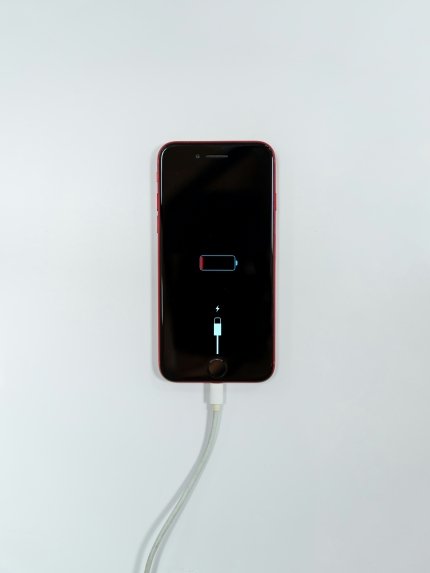
What Apple recommends for overnight iPhone charging
Apple has provided several ways to reduce battery wear.
Their availability depends on your iPhone model and iOS version.
How Optimized iPhone Charging Works
The “Charging Optimization” function analyzes the usual smartphone usage pattern.
If the system predicts that the phone will remain plugged in for a long time, it may pause charging at around 80%.
After that, the process resumes closer to the point when the user usually disconnects the device.
For example, if you regularly charge your iPhone at 11:00 PM and wake up at 7:00 AM, the system can gradually adapt to this schedule.
Apple notes that the feature takes time to learn the user's habits.
Specifically, optimized charging requires at least 14 days of training and a corresponding history of long charging sessions in familiar locations.
Therefore, the function may not always work when traveling or on an irregular schedule.
How to enable battery protection on iPhone
For iPhone 14 and earlier models:
Open "Settings".
Go to the "Battery" section.
Select "Battery charge and health."
Check if optimized charging is enabled.
For iPhone 15 and newer models:
Open "Settings".
Select "Battery".
Go to the "Charging" section.
Set the desired charge limit.
On compatible models, you can select limits from 80% to 100% in 5% increments.
If the limit is set to 100%, the optimized charging function is available.
Why does the iPhone sometimes charge to 100% even with a limit of 80%?
This is not necessarily a malfunction.
Apple explains that the device may periodically charge to 100% to maintain accurate battery level estimation.
This behavior is provided by the battery management system.
How to set up battery protection on Samsung Galaxy
Samsung uses the Battery protection feature.
In Galaxy smartphones with One UI 6.1, the manufacturer has provided three main modes that help manage the charge level.
Basic mode
Basic stops charging after reaching 100%.
When the level drops to 95%, the process can resume.
This mode allows you to get a full charge, but is not aimed at minimizing the time the battery stays near 100%.
Adaptive mode
Adaptive takes into account your usual sleep time.
During sleep, the system uses charge limitation, and closer to waking up, it switches to a mode that allows for a full charge.
This is a compromise between convenience and reducing battery wear.
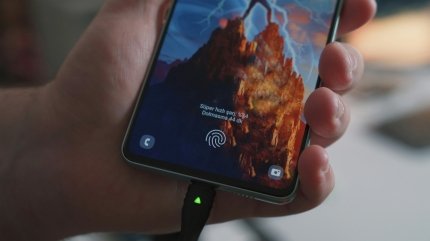
Maximum protection
Maximum stops charging after reaching 80%.
This mode is suitable for users who usually need less battery power during the day.
To check the settings on your compatible Galaxy, open Settings, go to Battery, and select Battery Saver.
Older versions of One UI may have different item names and limitations, including up to 85%.
As of November 2026, available options depend on smartphone model, software, and region.
How Google Pixel Adaptive Charging Works
Google Pixel smartphones also have features aimed at conserving battery life.
One of them is Adaptive Charging.
It analyzes the user's habits and tries to complete charging closer to the time when the phone is usually turned off.
According to Google, the feature may take approximately 14 days to learn the user's behavior.
A charging limit of up to 80% is also available for Pixel 6a and newer compatible models.
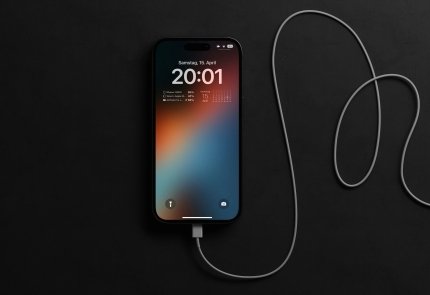
Where to find the charge limit on Pixel
On compatible models you need:
Open phone settings.
Go to the "Battery" section.
Select battery status and charging optimization.
Enable adaptive charging or limit to 80%.
Menu names may vary depending on the Android version.
Google also explains that even with the 80% limit set, the phone sometimes performs a full charge to maintain the accuracy of the charge level measurement.
Should you only charge your phone to 80%?
The 80% rule has a technical justification, but is not mandatory for every user.
Reducing the time a battery stays at a high charge level can have a positive effect on its long-term lifespan.
However, limiting it to 80% means that you will use less of the available capacity each day.
For example, if a smartphone is actively used for navigation, video calling, and work, the extra 20% can be important.
When to set a limit of 80%
This mode may be convenient if:
The phone is often on the charging station.
There is an opportunity to recharge during the day.
You plan to use your smartphone for several years.
Even 80% is enough for the evening.
When charging to 100% is justified
A full charge is advisable before a long trip, a workday without access to an outlet, or another situation where maximum autonomy is important.
In Ukraine, this is especially true during long power outages.
If you don't know when you'll be able to charge your phone next time, power reserve may be more important than a small reduction in future battery wear.
Charging to 100% is not a mistake. Limiting to 80% is a resource optimization tool, not a strict rule for using a smartphone.

Is it possible to discharge the phone to zero?
The common belief that a smartphone needs to be regularly discharged to 0% is a remnant of older ideas about batteries.
Modern lithium-ion batteries do not require systematic full discharge for normal operation.
Samsung recommends maintaining a partial charge whenever possible instead of regularly turning the phone off completely.
Frequent deep discharges can place additional strain on the battery.
At the same time, a single discharge to a low level does not mean that the battery will immediately lose a significant part of its life.
Sometimes manufacturers independently provide for periodic full charging to more accurately determine the remaining capacity.
You should not confuse such automatic procedures with the need to constantly discharge your smartphone to zero.
What really damages a battery the most?
During overnight charging, the most important things to pay attention to are the temperature and condition of the equipment.
1. Overheating
High temperature accelerates the chemical aging processes of lithium-ion batteries.
It is especially undesirable to charge the phone in direct sunlight, near radiators, or in a closed space without proper heat dissipation.
While charging, your smartphone may become warm - this does not always mean a malfunction.
However, if your device is unusually hot, a temperature warning appears, or charging regularly stops due to overheating, you need to find out the cause.
2. Damaged chargers
Cables with broken insulation, melted connectors, and adapters with damaged housings must not be used.
Apple warns that faulty charging accessories can pose a risk of fire, electric shock, and damage to your phone.
For safe charging, you must use compatible devices that meet established safety standards.
It doesn't have to be just a branded adapter, but its origin, specifications, and compliance with requirements must be reliable.
3. Charging under the pillow
This is one of the most dangerous habits.
A pillow, blanket, and other soft materials can prevent normal heat dissipation.
Apple specifically warns against placing your iPhone, adapter, or wireless charger under a pillow or blanket while working.
The UK fire service also recommends not charging phones on upholstered furniture or leaving them under bedding.
It is best to use an open, hard surface for charging.

Is it safe to keep a charger near the bed?
Having a working charger on your bedside table does not in itself mean danger.
It is important that the phone and adapter have enough space for cooling.
Do not leave them on the mattress, under the blanket, between pillows, or near flammable objects.
The cable should not be bent too much or pinched by furniture.
You should also avoid overloading outlets and using damaged extension cords.
At the same time, it is necessary to take into account the difference between the technical feasibility of overnight charging and fire safety recommendations.
Although modern smartphones automatically monitor the charge, some fire and rescue services advise charging devices when the user is awake and may notice a malfunction.
This is especially important for old, damaged, or low-quality charging accessories.
Is fast charging at night harmful?
Fast charging allows you to replenish energy in a shorter time, but may be accompanied by greater heat generation.
This does not mean that any fast charging automatically destroys the battery.
Modern smartphones monitor current, voltage, and temperature and change power depending on the battery condition.
Samsung explains that the phone does not charge at maximum power throughout the entire process.
As the charge increases or the temperature rises, the system may reduce power.
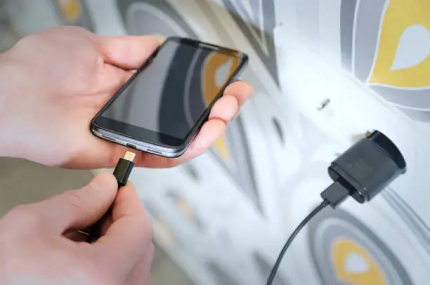
Should I turn off fast charging before going to bed?
If the phone supports adaptive charging, the system can manage the process independently.
If necessary, on some Galaxy models, you can separately change fast charging settings in battery settings.
However, the evidence that turning off fast charging always significantly extends the life of each smartphone is not enough for a universal rule.
It is much more important to avoid overheating and use compatible accessories.
Can I use a 65W or 100W adapter?
The power indicated on the charger does not mean that exactly that many watts will be delivered to the phone.
Compatible devices with support for the appropriate power protocols match voltage and current.
For example, if a smartphone supports charging up to 25W, a working compatible 65W adapter should not forcefully deliver all 65W.
However, this is only true if the equipment is properly compatible and operating correctly.
Cheap unknown adapters, damaged cables, and non-standard connection schemes can pose risks.
Therefore, for overnight charging, it is worth using proven accessories whose characteristics meet the requirements of the smartphone manufacturer.
Wireless charging at night: is there a difference?
Wireless charging is convenient because you just need to place the phone on a suitable platform.
However, it can also be accompanied by heating.
Samsung notes that during wireless charging, foreign metal objects between the smartphone and the charging surface may cause additional heating.
Make sure that there are no coins, keys, metal plates, or other objects between the devices that are not provided for by the charging design.
If your phone is overheating due to a tight case, the manufacturer may recommend removing it.
For overnight charging, it is best to use a compatible wireless station that does not generate excessive heat.
Wireless charging is not automatically more harmful than wired charging, but the temperature and efficiency of the specific system matter.
Can I use my phone while charging?
Yes, normal use of a smartphone while charging is usually acceptable.
For example, you can reply to messages or view information.
However, resource-intensive applications create additional load on the processor and other components.
If fast charging is enabled, a game is running, and mobile internet is being used at the same time, the device temperature may increase significantly.
Samsung explains that during heavy use, the system may slow down charging to prevent overheating.
Therefore, before going to bed, you should not leave your smartphone with resource-intensive applications running unnecessarily.

How to charge your phone during power outages
In conditions of unstable power supply, the most important thing may not be maximum preservation of battery life, but the readiness of the smartphone for a long period without charging.
If a power outage is expected in the near future, it is entirely justified to charge the battery to 100%.
If necessary, you can also use a power bank or charging station with appropriate characteristics.
However, faulty battery-powered devices should not be left unattended or covered while in use.
If the power bank supports pass-through charging, you need to make sure that the manufacturer allows you to charge it and power your smartphone at the same time.
Not every model is designed for continuous operation in this mode.
It's also worth remembering that frequent short recharges are not a problem in themselves.
Lithium-ion batteries do not necessarily need to go through a full cycle from 0 to 100% every time.
How to understand that your phone's battery is already worn out
Overnight charging is not the only reason for reduced battery life.
Over time, the battery loses some of its original capacity, even with proper care.
Possible signs of wear are:
Noticeably shorter operating time without charging.
Rapid charge loss during normal use.
Unexpected shutdowns with residual charge.
Significant performance degradation under certain conditions.
System warning about the need for battery maintenance.
However, similar symptoms can also be related to software, background processes, or other malfunctions.
On iPhone, you can check the battery status in the appropriate section of the battery settings.
On some Android smartphones, diagnostics are available through system functions or manufacturer applications.
If the battery is swollen, the case is deformed, or the device becomes unusually hot, you should stop using and charging it until it is professionally inspected.

How to properly charge your phone so that the battery lasts longer
The best strategy is to use your smartphone's built-in capabilities and avoid conditions that accelerate battery aging.
For most owners of modern models, a few habits are enough:
Enable adaptive or optimized charging.
You can set the limit to 80–90% if you want, if that's enough for daily use.
Do not allow overheating during charging.
Use working and compatible cables and adapters.
Do not cover the phone while it is working.
Avoid regular, unnecessary full discharges.
Charge to 100% when you need maximum autonomy.
You don't need to constantly monitor every percentage of charge.
Modern battery management systems already perform a significant portion of the necessary operations automatically.
Overly strict adherence to conditional rules sometimes creates more inconvenience than practical benefit.
Common myths about charging your smartphone overnight
Myth 1. If you leave your phone on charge until morning, the battery will recharge.
Proper modern smartphones use charging management systems that prevent uncontrolled energy accumulation.
Myth 2. You need to discharge your phone to 0% every time.
Lithium-ion batteries do not require regular full discharges for normal operation.
Myth 3. Charging to 100% will definitely damage the phone.
A full charge is provided by design. Prolonged and frequent exposure to maximum charge may be undesirable for the battery life, especially at high temperatures.
Myth 4. Fast charging is always dangerous.
Compatible modern systems monitor power and temperature. Problems can occur due to overheating, malfunctions, or inappropriate accessories.
Myth 5. Any USB-C adapter is equally suitable for all phones.
The same connector does not guarantee the same characteristics and support for all charging modes.
When is it better not to leave your smartphone charging overnight?
Even with modern protective features, there are situations where prolonged unattended charging is particularly undesirable.
In particular, if the smartphone has a damaged case, a deformed battery, or traces of liquid ingress.
You should also not continue to use an adapter that sparks, has damaged insulation, or becomes unusually hot.
Devices require special attention after unqualified repair or replacement of the battery with a component of unknown origin.
If a burning smell, smoke, or other signs of a serious malfunction appear during charging, you must stop using the device and do not touch dangerous electrical components.
In the event of a fire, you must act in accordance with fire safety regulations and call emergency services.
Conclusion
A modern smartphone does not continue to charge the battery uncontrollably after reaching 100%. Therefore, prolonged connection in itself does not mean inevitable damage to the battery.
However, its lifespan depends on temperature, usage cycles, and the time it stays at a high charge level.
To reduce wear and tear, manufacturers offer adaptive charging and a limit of 80–90%. Such features are especially useful if the phone is regularly plugged into a power source for many hours.
At the same time, fire safety remains a separate issue: you should not cover your smartphone, use damaged charging accessories, or leave a faulty device running unattended.
The best balance between battery life and convenience is enabled by enabling charging optimization, temperature control, and using a working charger.
FAQ: Frequently asked questions about charging your phone at night
1. Can I leave my phone charging until morning?
Modern smartphones have monitoring systems that stop active charging after reaching a set level. However, prolonged exposure to 100% can contribute to battery aging, and unattended charging poses additional safety risks. Fire departments recommend not leaving devices charging while you sleep.
2. What happens if the phone is charged all night after 100%?
Once the maximum level is reached, the control system stops charging and can resume charging later if necessary. The battery does not store charge indefinitely, but prolonged exposure to 100% can gradually affect its lifespan.
3. Is it harmful to charge your iPhone all night?
Apple provides automatic charging control and battery optimization features. On compatible models, you can use optimized charging or set a limit. At the same time, you should avoid overheating and using damaged accessories.
4. Do I need to disconnect Samsung from charging after 100%?
Samsung Galaxy has charging management systems. For additional battery protection, you can activate Battery protection, including adaptive mode or maximum charge limitation. However, for fire safety reasons, unattended charging is best avoided.
5. Why is it recommended to charge the phone only to 80%?
Leaving a lithium-ion battery at a high charge level for a long time can accelerate its chemical aging. Limiting it to 80% helps reduce this effect, but reduces the available autonomy throughout the day.
6. Can I charge my phone to 100% every day?
Yes. Full charging is provided by the design of the smartphone. If maximum autonomy is required, it can be used without violating the operating rules. To preserve the resource, it is useful to avoid prolonged overheating and reduce the time the battery is at maximum charge.
7. Can I charge my phone under my pillow?
No. Pillows and blankets prevent proper heat dissipation. Smartphone manufacturers and fire departments warn against placing the charger in this position.
8. Does fast charging damage the battery?
Not necessarily. Compatible modern smartphones automatically control the charging power. The main risk is overheating, damaged accessories, or hardware failure.
9. Can I charge my phone several times a day?
Yes. Lithium-ion batteries allow for partial recharge. One charge cycle does not equal each cable connection: cycles are usually counted as a cumulative energy use equivalent to the full capacity of the battery.
10. What is better for the battery: charging at night or during the day?
To preserve the resource, the temperature, charge level and operation of protective functions are primarily important. From a fire safety point of view, charging during the day, when the device can be supervised, has an advantage. If the smartphone is regularly charged for a long time, it is advisable to use optimization or charge limit.

