
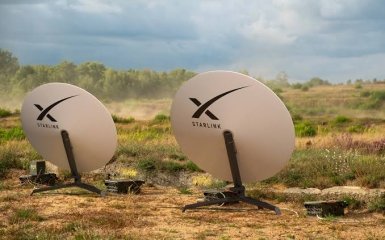
Starlink in 2026 is no longer just one universal tariff with a satellite dish. The service offers separate scenarios for permanent home connection, backup Internet, travel, mobile use and business. At the same time, Ukraine has its own rules: each terminal must undergo verification and be included in the "white list".
Points of attention
- Starlink in Ukraine is developing rapidly in 2026, offering various tariff plans: Residential Lite, Residential, Roam 100 GB, and Roam Unlimited.
- For mobile use, the most convenient combination is Starlink Mini together with Roam 100 GB or Roam Unlimited tariffs.
- Ukrainian users should pay attention to the terminal verification procedure, which has become mandatory since 2026.
A separate direction is being developed by Kyivstar and SpaceX's Starlink Direct to Cell. It allows compatible smartphones to connect directly to satellites in places where there is no terrestrial mobile network. This is another technology that does not require a Starlink dish and is not a replacement for the usual high-speed Starlink.
Below is the current status of the service in Ukraine as of September 24, 2026: how much does Starlink cost per month, what are the differences between Residential and Roam, which tariff to choose for Starlink Mini, how payment works, whether you can pause your subscription, and what you need to do after purchasing a terminal.
Important: Starlink regularly changes rates, plan availability, regional offers, and equipment pricing. Final terms and conditions always depend on service address, account type, and offers, which are displayed directly in the user's account.
How much does Starlink cost in Ukraine in 2026?
As of the date of preparation of the material for personal use in Ukraine, there are four main tariffs as a guideline:
| Tariff | Estimated price per month | For whom |
| Residential Lite | $30 | Budget home internet |
| Residential | $80 | Permanent home Starlink |
| Roam 100 GB | $55 | Travel, backup channel, irregular use |
| Roam Unlimited | $100 | Active mobile usage |
Prices may be adjusted by Starlink depending on the region, network load and current commercial conditions. Therefore, before paying, it is worth checking the amount in your account. Current Ukrainian offers confirm levels of about $30, $80, $55 and $100, respectively.
It is important to understand another detail: the tariff is tied primarily to the usage scenario, not to the antenna generation. The same Standard or Mini may have different available plans depending on the account, region, and Starlink rules.
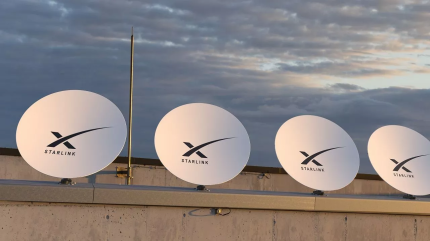
Residential Lite: the cheapest home Starlink
Residential Lite is a plan for stationary use at a specific address. It provides unlimited traffic, but data has a lower priority on the network.
This means that during peak hours, speeds may drop more than with regular Residential. Starlink explicitly defines Residential Lite as a plan with unlimited deprioritized traffic — that is, data with lower network priority.
Who is suitable for:
a private house or cottage;
small family;
for browser, mail, video and video calls;
as a backup home channel;
if the maximum speed during peak hours is not critical.
The main plus is the price of about $30 per month.
The main tradeoff is lower priority when network load is high.
If a large number of devices are working simultaneously via Starlink, large files are regularly downloaded, or you need the most stable speed throughout the workday, it is better to consider a regular Residential.
Residential: basic rate for home
Residential is designed for permanent use of Starlink at a fixed address and also includes unlimited data.
Its main difference from Lite is higher network priority.
This tariff is appropriate if Starlink actually replaces home optical or mobile Internet:
for remote work;
video conferencing;
streaming services;
cloud backups;
a large number of home devices;
video surveillance systems;
home in an area without a stable terrestrial provider.
The approximate subscription fee is $80 per month.
At the same time, you shouldn't buy Residential just because you assume it will automatically be several times faster than Lite. The actual speed of Starlink depends on the load of the satellite network, the location of the terminal, obstacles in front of the antenna, and the specific region.
Roam 100 GB: tariff for backup Starlink and travel
Roam is designed for users who need Starlink in different locations.
The Roam 100 GB plan costs approximately $55 per month and is suitable for situations where the terminal is not used 24/7:
backup internet in case of an accident;
trips out of town;
travel;
camper;
expeditions;
temporary object;
field work;
Starlink Mini, which spends most of its time in a car or backpack.
The advantage of the package is that the user does not pay for unlimited data that he does not actually need.
Before choosing this plan, it's worth assessing your actual usage. Video conferencing, streaming video, large updates, and cloud backups can use up 100 GB much faster than regular email, instant messaging, and document usage.
The terms and conditions after using the included data volume may change along with the tariff policy, so you should check the current rules in your account before connecting.
Roam Unlimited: When Starlink Always Travels with You
Roam Unlimited is designed for active use of Starlink in different locations without the need to constantly monitor the remaining package.
The approximate cost is $100 per month.
The tariff is logical for:
camper;
mobile office;
regular business trips;
field teams;
expeditions;
frequent moves between facilities;
Starlink Mini, which is used as the primary mobile channel.
Roam can also work outside of your country of registration in supported countries. Starlink notes that when traveling internationally, Roam can typically be used for up to 60 days per trip, after which you may need to change your country or account address.
But there is an important limitation for Ukraine.
Roam means the ability to change the location of use, but does not guarantee unlimited operation of the terminal at any speed.
Does Starlink work in a car while driving?
Technically, Starlink has modes of use in motion, but additional safety restrictions have been in effect in Ukraine since 2026.
Starlink reports that local speed limits, implemented in coordination with Ukrainian authorities, apply to Ukrainian terminals. If the system determines that the terminal is moving faster than allowed, a Moving Too Fast message may appear and access to the service may be limited.
Therefore, the scheme of “buy a Mini, attach it to the roof of the car and get uninterrupted Internet at any speed” in Ukraine in 2026 is not guaranteed.
For stationary stopping, camping, work on a site, or low-speed movement, the possibilities are wider, but current Ukrainian restrictions must be considered separately from the capabilities of the equipment itself.
Starlink Mini or Standard: what to choose
In 2026, for most personal scenarios, the choice effectively comes down to two formats: Standard and Mini.
Starlink Standard
Standard is better suited for:
permanent home;
office;
a large number of users;
backup channel at a stationary facility;
situations where size and power consumption are not critical.
For a modern Standard, typical average power consumption with the system is approximately 75–100 W, although it depends on temperature, load, and operating mode.
Starlink Mini
Mini is designed with a focus on mobility.
Its antenna weighs about 1.1 kg without additional accessories, has built-in Wi-Fi and consumes approximately 20–40 W. The system can be powered by a suitable DC power source or USB Power Delivery of sufficient power.
This makes Mini convenient for:
car;
charging station;
battery;
autonomous operation;
backup internet during a blackout;
travel;
field conditions.
If you need constant home internet and power supply is not an issue, Standard is usually more practical.
If compactness and autonomy are important, the Mini is the way to go.
How long will Starlink last from a charging station?
The difference between Standard and Mini is especially noticeable during power outages.
If the Mini draws around 20–40W, a conventional charging station with a usable capacity of around 500Wh could theoretically keep it running for many hours. The actual time will be less due to conversion losses, temperature, Wi-Fi, and the specific operating mode.
Standard with a consumption of 75–100 W will discharge the same battery much faster.
Therefore, for an apartment or house where Starlink is needed mainly as an emergency channel during blackouts, Mini may be a more economical solution in terms of autonomous power supply.
How is Starlink payment made in Ukraine?
Starlink operates on a subscription model.
The user adds a payment method to their account, after which the bills are automatically debited on the payment date. If there is any debt remaining on the account from the previous period, it is added to the next bill.
You can change your payment method in the Billing section.
Starlink supports most bank debit and credit cards, and the range of additional payment methods varies by country.
For a Ukrainian user, the practical scheme is simple:
Log in to your Starlink account.
Open Billing.
Add or change a bank card.
Check the date of the next bill.
Ensure sufficient balance before automatic debit.
If the rate is indicated in dollars and the card is in hryvnia, the bank converts the amount according to its own exchange rate and rules.
Sometimes, a bank may add a fee for international or online transactions. Starlink specifically explains that such additional fees may be charged by the bank or payment provider, not Starlink itself.

How to change Starlink tariff
Switching between supported plans is done via the website or app:
Open a Starlink account.
Go to Subscription.
Select Manage Subscription.
Click Change Service Plan.
Choose an available tariff.
Check the transition date and cost.
Confirm the change.
The rate increase can be applied immediately, while some downgrades can be scheduled at the end of the current billing period. For Roam, Starlink also allows you to choose between an immediate downgrade or a change after the end of the cycle, depending on the specific transaction.
The list of available plans is not the same for every user. If the plan you want is not in your account, it usually means that it is currently unavailable for that bundle, region, or address.
Can Starlink be paused?
Starlink has a Standby Mode for supported tariffs.
Its main advantage is that the package remains tied to the account, and the user can later return the full tariff without re-creating the account.
Starlink says Standby Mode may be available for Roam, Residential, and Priority, but the specific feature varies by plan and region. Some offerings may be excluded. Residential Lite, in particular, has its own service suspension restrictions.
Therefore, before purchasing Starlink exclusively as a seasonal or emergency kit, it is important to check whether Standby is available for the selected tariff and what fee the system shows for this mode.
This is especially true for a summer house, camper, or a backup Starlink that may not be used for several months.
Important change in 2026: Starlink in Ukraine needs to be verified
Since February 2026, the Starlink terminal authorization system has been in operation in Ukraine.
The reason is the introduction of a "whitelist" to block unauthorized terminals in the country. Starlink confirms that the requirement applies to all types of tariffs, and an unverified terminal can be disconnected regardless of whether the subscription is paid or not.
In July 2026, the procedure was updated.
For verification, you will first need:
KIT-kit number;
UTID of the terminal;
if available — Dish ID;
Starlink account number.
For individuals and sole proprietors, registration is available through ASNAP, Ukrposhta, or Nova Poshta. According to current rules, the terminal must be shown during submission.
Legal entities complete the procedure online through the Diya portal. For most companies, there is a limit of 10 terminals, while for critical enterprises, this limitation does not apply.
After verification, the device is added to the "white list".
What does this mean when buying a used Starlink?
Buying a terminal from your hands in 2026 requires more attention than before.
Before calculating, you need to make sure that:
the seller can transfer the kit;
the device is not locked;
KIT and UTID are readable and correspond to the equipment;
the terminal can be linked to a new account;
the previous owner removed it from their list, if necessary;
the buyer will be able to pass Ukrainian verification.
The fact that the antenna is physically turned on does not guarantee the ability to use it normally in Ukraine.
Starlink Direct to Cell: satellite communication without an antenna
One of the main innovations of 2026 in Ukraine is the development of Starlink Direct to Cell together with Kyivstar.
It is important not to confuse this technology with regular Starlink.
The classic version requires an antenna, power, and a Wi-Fi router.
Direct to Cell allows a smartphone to establish a connection directly with a satellite when there is no terrestrial network.
At the end of 2025, Kyivstar opened SMS testing to subscribers via the Kyivstar-SpaceX network. The next stage, Light Data, started on June 15, 2026: under certain conditions, Viber, WhatsApp, and Google Maps can be tested via satellite.
The smartphone needs an open sky, after which Kyivstar | SpaceX or SAT may appear in the list of networks.
Does Direct to Cell replace regular Starlink?
No.
Direct to Cell is currently focused on basic mobile communications and limited services in areas where there is no coverage.
A regular Starlink with a terminal is needed if you need:
laptop;
Wi-Fi for several people;
video conferences;
high traffic;
streaming;
file uploads;
full backup internet for home or office.
Direct to Cell should be considered as an additional level of mobile accessibility, not an alternative to a terminal.
Starlink for business in Ukraine
Another change in 2026 is the appearance of the official Starlink channel for corporate clients through Kyivstar.
In May 2026, Kyivstar received the right to sell Starlink services to businesses and government institutions, and in June it began official sales of high-speed satellite Internet services to corporate clients.
This is important for companies because of the ability to centrally organize:
channel reservation;
connecting remote objects;
corporate services;
several terminals;
priority traffic;
document flow through a local partner.
The regular Residential Lite is not intended for business or corporate use. For such scenarios, it is worth considering the corresponding Priority solutions.
Which Starlink tariff to choose in 2026
It is most convenient to start not from the name of the equipment, but from the scenario.
For home
If the main thing is the minimum subscription fee, you should start with Residential Lite.
If Starlink is your primary home internet and stability during peak hours is important, Residential is more logical.
For backup internet
If the terminal is only needed occasionally, Roam 100 GB may be more profitable.
Be sure to check the Standby Mode option in your account.
For car and travel
The most convenient bundle is Starlink Mini + Roam.
At the same time, it is necessary to take into account Ukrainian restrictions on use in traffic.
For the summer cottage
If Starlink is in one place all season, Residential Lite is often more practical than Roam.
If the antenna is moved regularly, you need a mobile plan.
For blackouts
The Mini has the advantage of significantly lower power consumption.
If you need maximum performance for a large home or office, Standard may be better, but will require a larger battery.
For business
It is worth using corporate plans and official sales channels, especially if you are dealing with dozens of users, a critical communication channel, or multiple platforms.
The most common mistakes when choosing Starlink
The first is to buy Residential for equipment that you plan to transport constantly.
The second is to choose the expensive Roam Unlimited for a summer cottage, where the antenna is in one place all season.
The third is to consider the Mini a cheaper version of the Standard with no other differences. The main advantage of the Mini is mobility and energy efficiency.
The fourth is to buy a used Starlink and not check the transmission capability and Ukrainian verification.
Fifth, count on continuous operation of Starlink in a car at any speed, regardless of Ukrainian restrictions.
Sixth - look only at the price of the antenna and do not take into account the monthly subscription fee, power supply, mounting, cables, and backup power source.
Conclusion
Starlink in Ukraine in 2026 has become a much more flexible service. For home use there is Residential Lite and Residential, for mobile scenarios there is Roam with packet or unlimited traffic, and the compact Mini makes it possible to build a truly autonomous backup channel with low power consumption.
The main Ukrainian feature is mandatory terminal verification. After purchasing the equipment, it is not enough to simply activate the tariff: the device must be added to the "white list".
Before connecting, you should check three things: the available plans in your account, the current price, and the specific usage scenario. For a permanent home, it makes no sense to overpay for mobility, and for a car or frequent trips, a stationary Residential will be the wrong choice.
FAQ
How much does Starlink cost per month in Ukraine in 2026?
Residential Lite costs approximately $30 per month, Residential costs $80, Roam 100 GB costs $55, and Roam Unlimited costs $100. The exact price may vary by region and is displayed in your account before you connect.
What is the cheapest Starlink tariff in Ukraine?
Among the basic personal plans, the cheapest is Residential Lite, which costs around $30 per month. It has unlimited traffic but lower network priority during peak hours.
What tariff is needed for Starlink Mini?
For mobile use, it makes sense to combine Mini with Roam 100 GB or Roam Unlimited. If Mini is used stationary, the set of available tariffs will depend on the offers in a specific account.
Can you not pay for Starlink when you don't use it?
Standby Mode may be available for supported plans. It allows you to put the service into standby mode without completely losing the bundle binding. Availability and cost must be checked in your account, as individual plans have restrictions.
Can I pay for Starlink with a Ukrainian card?
Yes, you can add a supported bank debit or credit card to Starlink. If the bill is in a foreign currency, the hryvnia card will use the bank's conversion. Additional fees may apply depending on the issuing bank.
Do I need to register Starlink in Ukraine?
Yes. In 2026, a terminal authorization system is operating in Ukraine. An unverified device can be disabled even with an active subscription.
How to verify Starlink for an individual?
According to current rules, individuals and sole proprietors can submit data through ASNAP, Ukrposhta, or Nova Poshta. A KIT number and UTID are required, and the terminal itself must be shown during registration.
Does Starlink work in a car while driving?
Technically, mobile plans support moving scenarios, but in Ukraine there are additional speed limits for terminals. If the locally allowed mode is exceeded, Starlink may display Moving Too Fast and limit service.
How is Starlink Direct to Cell different from regular Starlink?
Direct to Cell connects a smartphone directly to a satellite without a Starlink antenna. SMS is already available in Ukraine via the Kyivstar-SpaceX network, and Viber, WhatsApp, and Google Maps are being tested within Light Data. For full-fledged high-speed Internet on laptops and other devices, a regular Starlink terminal is required.
Which is better for blackouts — Starlink Mini or Standard?
If autonomy is the main factor, the Mini has a significant advantage: its typical consumption is about 20–40 W, while the modern Standard requires approximately 75–100 W. This allows the Mini to work much longer from the same charging station.

