
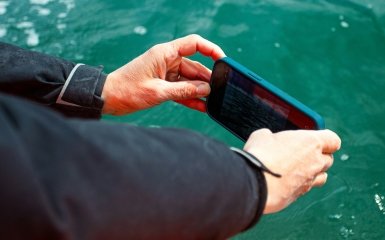
Did your phone fall into a bathtub, sink, puddle, or accidentally get caught in the rain? Even if the screen works and the device responds to touch, this does not guarantee that water has not entered the case. The effects of contact with liquid sometimes appear only after a few hours or days.
If your phone falls into water, immediately remove it, unplug the charger, turn off the smartphone, remove the case, and gently wipe the case with a dry cloth. Then leave the device in a dry, ventilated place. Do not use a hair dryer, place the phone in rice, or connect it to a charger until it is completely dry.
However, the correct actions depend on how wet the smartphone got, whether it has IP67 or IP68 protection, and what kind of liquid it came into contact with.
Let's consider the official recommendations of Apple, Samsung and Google, the rules for safe drying, signs of internal damage and situations when home methods are not enough.
What to do if your phone falls into water: the first five steps
After your smartphone gets wet, the most important thing is to stop contact with the liquid and not create additional risks for the electronics.
1. Remove the phone from the water immediately
The less time the smartphone is in water, the less likely it is that liquid will penetrate through connectors, speakers, seals, and damaged areas of the case.
However, your own safety is more important than the device. If your phone falls into water near electrical equipment, do not touch the water until the risk of electric shock has been eliminated.
2. Turn off your smartphone
If the device is on, turn it off in the normal way if it is safe to do so.
Don't try to check the camera, speakers, cellular connection, or touchscreen right away.
The performance of individual functions does not prove that the internal components have remained dry.
If the phone has already turned off on its own, there is no need to try to start it.
3. Disconnect chargers and accessories
You cannot continue to charge a wet smartphone with a cable.
If the phone is plugged into a power outlet, first safely disconnect the power from the outlet without touching any wet electrical connections.
After that, disconnect the cable if it is safe to do so.
Remove the case and disconnect external accessories. Moisture may accumulate between the protective case and the body.
4. Wipe the case with a soft cloth
Use a clean, dry, lint-free cloth.
Pay special attention to the areas around the charging connector, speakers, microphones, and buttons.
Do not insert cloth, paper, or cotton swabs into the connectors.
If there is any water left in the charging port, some manufacturers recommend carefully pointing the connector downward and tapping the device lightly against your palm.
5. Leave the phone to dry
Place the smartphone in a dry room with normal air circulation.
The temperature should be room temperature, without additional heating.
You can use a regular fan with cool air, but do not direct the hot air at the phone.
Important: These steps are only suitable for minor wetness or water getting into the connector. After complete immersion, especially of a smartphone without water protection, professional diagnostics may be required, even if the device is dry on the outside.
Why water is dangerous for a smartphone
The main problem is not just the moisture itself.
Inside a modern phone, there are tightly mounted electronic components, contacts, cables, and a battery.
If liquid gets on electrical connections, it can create conditions for short circuits and corrosion.
Salts, mineral impurities, and residues of other substances dissolved in water are especially dangerous.
That's why a phone that has fallen into the sea or been doused with a sweet drink needs special attention.
Even after the water evaporates, contaminants may remain on the contacts.
This explains why a smartphone sometimes continues to work normally immediately after a fall, but later starts to lose connection, does not charge, or turns off on its own.
Drying the outer casing does not guarantee the removal of liquid and contaminants from the internal components.
Will IP67 or IP68 waterproofing save?
Many modern smartphones are dust and water resistant according to the IEC 60529 standard.
However, water resistance and complete waterproofness are different concepts.
What does IP67 and IP68 mean?
IP67 provides protection against dust and withstands temporary immersion in water under specified test conditions, typically to a depth of one meter for 30 minutes.
IP68 also means dustproof and protected against immersion, but the specific depth and duration are determined by the manufacturer according to the certification conditions.
For example, different phone models with the same IP68 designation may have different claimed water resistance parameters.
Such tests are conducted under controlled laboratory conditions.
Dropping a phone into water in real life can be accompanied by impact, increased pressure, or exposure to impurities.
Why does water protection deteriorate over time?
Apple and Samsung warn that water resistance is not a permanent feature.
Over time, seals age, and falls, cracks, and repairs can compromise the integrity of the housing.
Therefore, even a phone with IP68 certification should not be intentionally submerged in water.
The presence of water protection also does not mean automatic warranty repair after flooding. Warranty terms depend on the manufacturer, country, and specific circumstances of the damage.
How to properly dry your phone after water
A safe method of drying is natural evaporation of moisture at room temperature with sufficient air access.
For iPhones, Apple recommends gently removing excess water from the connector by holding it downwards, then leaving the device in a dry, ventilated area.
Samsung and Google use a similar principle.
In what position to leave the phone
If the water has mostly gotten into the charging port, you can gently hold the smartphone with the connector facing down to help excess liquid drain out.
Then place the device on a dry surface according to the manufacturer's recommendations.
You don't need to shake your smartphone hard or hit it against hard objects.
Such actions may cause mechanical damage.

Can I use a fan?
Yes, a flow of cool air can help evaporate moisture from accessible surfaces.
Apple explicitly allows the use of a fan that directs cool air towards the charging connector.
However, the fan is not guaranteed to dry out liquid that has penetrated under the screen, battery, or electronic components.
If there are signs of internal flooding, ventilation alone is not enough.
How long to dry your phone and when can you charge it?
This is one of the most important issues after water ingress.
There is no universal drying time for all smartphones.
It is important to distinguish a small amount of moisture in the connector from complete submersion of the device.
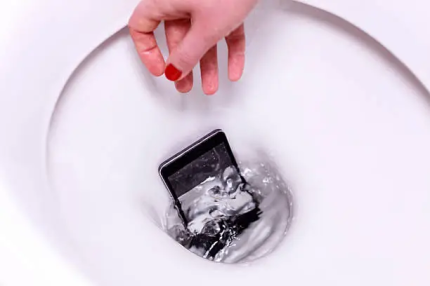
Apple recommendations for iPhone
Apple notes that after your iPhone comes into contact with liquid, you should wait until the device is completely dry and wait at least five hours before connecting it normally with a Lightning or USB-C cable.
In a separate instruction regarding the liquid detection warning, the manufacturer allows you to check the condition of the connector no earlier than after 30 minutes of drying.
If the message appears again, drying should be continued. It can sometimes take up to 24 hours for the port to dry completely.
These instructions apply to different situations. 30 minutes is not a universal time frame after which any flooded iPhone can be safely charged.
After significant immersion and suspicion of water penetration into the housing, even a day of drying does not guarantee safe switching on.
Samsung recommendations
Samsung explains that moisture in the charging port can evaporate in about one to two hours under normal conditions.
However, this guideline refers to drying out the port and does not guarantee that there is no water inside the phone.
If the smartphone shows a drop icon and blocks charging, you need to disconnect the cable and wait for it to dry.
Google Pixel Recommendations
Google recommends turning off your Pixel if the charging port or cable gets wet and letting it dry at room temperature.
If the message about moisture or foreign particles in the USB port persists for two hours or longer, the manufacturer recommends contacting technical support.
| Situation | What to do |
| A few drops of water on the case | Wipe dry and check the condition of the device |
| Moisture in the charging port | Disconnect the cable and wait for it to dry completely. |
| The liquid warning does not go away | Do not force the phone to charge, check the manufacturer's instructions. |
| The phone was completely submerged in water | Turn off, do not charge, assess the need for service diagnostics |
| Salty or sweet liquid got inside | Arrange a professional inspection as soon as possible |
The manufacturers' quoted timeframes should not be used as a guarantee of recovery after a serious flood.
Why you shouldn't dry your phone in rice
The advice to put a wet smartphone in rice remains popular, but electronics manufacturers do not recommend it.
Apple directly warns against this method.
Small particles of rice can get inside the charging connector and damage the contacts.
Additionally, rice does not remove salts, sugars, and other contaminants that remain after the liquid evaporates.
Having absorbent material next to your phone doesn't mean it will effectively remove water from under the chips.
Will silica gel help?
Silica gel packets can absorb moisture from the air, but they do not guarantee the removal of liquid from the internal components of the phone.
They also do not clean electronic contacts of impurities.
Therefore, silica gel should not be considered a substitute for proper drying or servicing.
It is especially dangerous to postpone the diagnosis of a heavily flooded device, relying only on absorbent materials.
What you absolutely cannot do with a wet phone
Some common "rescue" methods can create more problems than getting wet itself.
Do not dry your smartphone with a hair dryer. Hot air can overheat individual components, damage seals and the battery.
Do not place your phone on a radiator. Uncontrolled heating is dangerous for electronics and the battery.
Do not use compressed air. A strong stream can damage delicate components and promote moisture movement inside the device.
Do not insert anything into the charging port. Cotton swabs, toothpicks, and paper towels can damage the contacts or leave foreign particles.
Don't constantly check to see if your phone will turn on. If water gets inside, repeated attempts to turn it on may increase the risk of damage.
Do not plug in the charging cable to test. Moisture in the port can cause corrosion of the contacts and malfunction.
Do not disassemble a modern smartphone without the necessary qualifications. Damage to the lithium-ion battery or cables can be dangerous.
If the battery is swollen, the device is emitting smoke, is unusually hot, or shows signs of battery damage, discontinue use and do not connect it to power.
What to do if your phone falls into seawater, coffee or juice
Not all liquids are equally dangerous to electronics.
Fresh water usually leaves fewer aggressive impurities than seawater, sugary drinks, or cleaning solutions.
After the latter dries, salts, sugar and other substances may remain on the contacts.
If your smartphone falls into salt water
For certain water-resistant Galaxy models, Samsung recommends rinsing with clean fresh water after contact with salt water, then drying thoroughly.
But this is not universal advice for all smartphones .
If the phone is not certified water-resistant, the case is damaged, or the manufacturer does not allow such cleaning, washing may worsen the situation.
For a heavily flooded phone without reliable sealing, it is safer to turn off the device, remove the liquid from the external surfaces, and send it for diagnostics.
If the phone is spilled with coffee, juice or sweet tea
Such drinks can leave sticky residue and contribute to damage to electronic connections.
Simply drying does not always fix the problem.
It is especially dangerous when liquid gets inside the case, under the screen, or into the connectors.
In such situations, professional cleaning may be necessary even when the smartphone is still working.
Do not use household detergents, alcohol mixtures, or other liquids to clean the internal components yourself.
What to do if the phone shows a drop icon after water
Warning about moisture in the charging port is a protective feature of some smartphones.
It helps prevent charging in conditions where the contacts may remain wet.
On Samsung Galaxy and Google Pixel, the system may temporarily block the USB port.
The iPhone also has a liquid detection notification.
If this message appears, disconnect the charging cable and let the device dry.
Do not repeatedly try to force it to start charging.
If the port appears dry but the warning persists, the cause may be residual moisture, dirt, a damaged cable, or a faulty connector.
In this case, additional verification is required.
Can you charge a wet phone wirelessly?
Some manufacturers allow wireless charging if the moisture remains only in the USB port, and the device itself and its back surface are completely dry.
In particular, Apple and Samsung describe this possibility for compatible models.
However, it is important to distinguish between a wet charging connector and a completely flooded smartphone.
Wireless charging does not make a phone safe if water has gotten inside.
If the device has been completely submerged, has a damaged casing, or exhibits malfunctions, it should not be charged in any way until inspected.
Why does the phone speaker crackle after water?
If your smartphone has recently gotten wet, the sound may become quiet, muffled, or distorted.
This does not always mean that the speaker is broken.
A small amount of water may remain near the acoustic membrane or protective mesh.
Apple recommends placing your iPhone speaker-side down on a lint-free cloth and allowing the liquid to drain or evaporate naturally.
Samsung also recommends gently wiping the speaker's exterior vents with a damp cloth and allowing them to dry.
There is no need to insert objects into the acoustic holes.
Popular apps that play special sounds to "push out water" do not guarantee that your smartphone will be cleaned of internal moisture.
If the wheezing does not disappear after drying or is accompanied by other malfunctions, diagnostics are required.
How to tell if water has gotten inside your phone
The most obvious signs of damage may not appear immediately.
Pay attention to the following symptoms:
Smudges or fogging under the camera glass.
Screen flickering or colored stripes.
Unauthorized smartphone reboot.
Touch screen malfunction.
Microphone or speaker malfunction.
Unstable charging.
Unusual overheating of the device.
Rapid battery discharge.
Condensation under the camera's protective glass can be particularly telling: it cannot be removed by simply wiping the outer surface.
However, the absence of these signs does not prove that there is no moisture inside.
Corrosion can develop gradually, so after significant liquid ingress, external performance is not always a sufficient reason to abandon diagnostics.
When to take a flooded phone to a service center
A professional inspection is especially important if the smartphone was completely submerged in water without reliable water protection.
Also, do not delay diagnosis after contact with salt water, sugary drinks, or other contaminated liquids.
Overheating, charging problems, stains under the screen, battery damage, and spontaneous shutdowns require immediate attention.
During service diagnostics, a specialist can determine whether there is liquid, corrosion, or damaged components inside the case.
Professional cleaning and repairs are carried out as needed.
The earlier internal damage is detected, the greater the chance of preventing its spread, although the outcome depends on the specific fault.
How to save photos and data after dropping your phone in water
For many users, losing photos, contacts, and documents can be a more serious problem than a malfunction of the smartphone itself.
However, there is no need to rush to turn on a wet device for the sake of backup.
If internal flooding is suspected, it is safer to conduct diagnostics first.
If the phone is dry, working normally, and shows no signs of damage, it's worth creating a current backup.
To do this, you can use the standard capabilities of iCloud, Google, or other approved methods of storing data.
A copy is especially important if delayed effects of contact with the liquid later appear.
If your smartphone no longer turns on, do not try to start it again. Specialized repair may be required to recover the information.

Does the warranty cover water damage to the phone?
Even smartphones with a high degree of water resistance do not necessarily have a guarantee against any liquid ingress.
Apple notes that the water resistance of iPhone may decrease due to natural wear and tear, and liquid damage is not covered by the manufacturer's standard limited warranty.
At Samsung, the conditions also depend on the specific model, region, and nature of the malfunction.
It is worth distinguishing a standard warranty from additional insurance or device protection programs.
Coverage, deductibles, and exclusions can vary significantly.
Therefore, before repairing, you need to check the current conditions for your phone.
How to protect your smartphone from water in the future
The best way to avoid damage is to not test your device's water resistance unnecessarily.
This is especially true for phones that have been dropped, repaired, or cracked.
At the beach, by the pool, or while relaxing on the water, you can use a special airtight cover designed for the appropriate conditions.
However, even such an accessory needs to be checked for proper operation and closed properly.
Do not leave your smartphone near the edge of the bathtub, sink, or next to open drinks.
It is also a good idea to regularly back up important data.
Even if you follow all the rules, an accidental fall into water is still possible, and having a copy will help avoid information loss.
Conclusion
If your phone falls into water, the most important thing is to quickly stop contact with the liquid, turn off the device, do not connect it to charging, and ensure proper drying.
Do not use a hair dryer, heating element, rice, or compressed air. These methods will not remove internal dirt and may damage your smartphone.
Official recommendations from Apple, Samsung, and Google vary depending on the situation, but have a common principle: the charging port and device must be dry before further use.
If your smartphone has been completely submerged in water, especially without certified water protection, or has come into contact with salty or sweet liquids, drying it at home will not guarantee its recovery. In such cases, professional inspection is essential.

FAQ: Frequently asked questions about a phone that fell into water
1. What should you do first if your phone falls into water?
Remove it immediately, unplug the power, turn off the device, remove the case and wipe it with a dry soft cloth. Do not check the functions or charge the smartphone until it is dry.
2. How long does it take to dry a phone after falling into water?
There is no set time frame. A few hours may be enough for a small amount of moisture in the charging port. Apple notes that it can sometimes take up to 24 hours for the connector to dry completely. After significant immersion, this time is not a guarantee that there is no water inside.
3. Can you put a wet phone in rice?
Not recommended. Rice does not reliably remove internal moisture and dirt. Its small particles can get into the connectors and damage the contacts. Apple explicitly warns against this method.
4. How to dry the phone charging port?
Disconnect the cable, carefully remove any external moisture and leave the device in a dry room with normal air circulation. Do not insert cotton swabs, paper or other objects into the connector.
5. How long after can you charge your iPhone after water?
After contact with liquid, Apple recommends waiting at least five hours to ensure the device is completely dry. A separate moisture notification instruction allows you to check the connector after 30 minutes of drying, but this is not a universal permission to charge a flooded phone. It can take up to a day to completely dry.
6. What to do if Samsung shows a water drop and does not charge?
Unplug the charging cable and allow the port to dry. Samsung notes that moisture in the connector can evaporate in about one to two hours under certain conditions. If the warning persists, the device needs further inspection.
7. Can a phone work after water and then break?
Yes. Moisture and impurities can remain inside and gradually cause corrosion. Malfunctions sometimes appear later, even if the phone worked fine immediately after the drop.
8. What to do if the speaker does not work after water?
Wet the exterior and allow the smartphone to dry. Do not insert objects into the speaker openings. If the sound remains distorted after drying, diagnostics are required.
9. Can a phone that fell into the sea be saved?
Sometimes yes, but the risk of damage is higher due to salts remaining on the contacts after drying. For some water-resistant Samsungs, the manufacturer allows rinsing with fresh water. For other models, you need to follow specific instructions and not postpone a service check.
10. Can I turn on the phone after a day of drying?
Not always. If only the outer case or charging port is wet and the device is completely dry, further use may be possible according to the manufacturer's instructions. If the phone was completely submerged, has a damaged case, or shows signs of internal flooding, even 24 hours of drying will not guarantee safe power-on.

