
During a power outage, you connected your Wi-Fi router to a power bank, the indicators lit up, and your phone successfully connected to your home network. However, websites don't open, instant messengers don't load messages, and the screen says "Connected without Internet access."
If the router is powered by a power bank, but there is no Internet, first of all check the power supply of the ONU/ONT optical terminal, the presence of the provider's signal, and the compliance of the backup power supply voltage. The fact that Wi-Fi is working does not mean that the apartment is receiving Internet.
The reason may be quite simple: for example, the power bank is powering the router, but the separate optical terminal remains off. In other cases, the problem occurs due to a power outage at the provider's equipment, a faulty USB cable, or unstable operation of the power source itself.
We'll figure out how to find the reason for the lack of Internet, properly connect the router and ONU to the power bank, check the indicators, and ensure home communication during long blackouts.
Why does Wi-Fi work but there is no Internet?
Wi-Fi and the Internet are not the same thing.
Wi-Fi is a wireless network created by a home router that allows phones, laptops, and other devices to communicate with the router.
And the Internet connection comes from the provider via a separate communication line.
Therefore, the router can work normally, distribute Wi-Fi and even provide access to home devices, but not have access to the Internet.
Network equipment manufacturer TP-Link explains: The message Connected without Internet usually means that the device is connected to the local network, but there was a problem during one of the following stages of the connection.
How home internet works during outages
Depending on the connection technology, the diagram may look different.
For GPON or xPON:
Provider's fiber optic line → optical terminal ONU/ONT → Wi-Fi router → phone or laptop.
For FTTB or Ethernet:
Provider equipment in the house → network cable to the apartment → Wi-Fi router → phone or laptop.
In the first case, it is usually necessary to provide power to both the router and the optical terminal.
The second is the power supply of the router at home and the performance of the provider's network equipment.
It is these differences that determine the method of restoring communication.
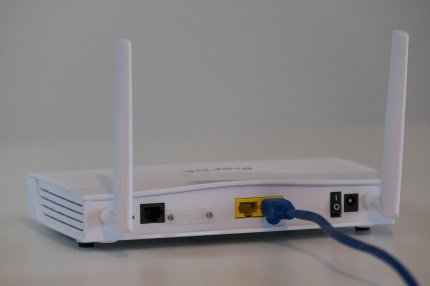
9 reasons why a power bank router works without the Internet
The malfunction is not always related to insufficient battery capacity. Even a powerful charging station will not help if the signal is not coming from the provider.
| Possible cause | How it manifests | What to check |
| ONU/ONT not working | There is Wi-Fi, but no internet. | Optical terminal power supply |
| The provider's network is down. | The Internet disappears with the light | Network autonomy by address |
| Incorrect voltage | The router does not start or is unstable | Power specifications |
| Insufficient power of the power bank | Reboot, Wi-Fi disappears | Output current and power |
| Incompatible cable | No stable power supply | Plug, polarity, converter |
| No WAN connection | The router is on, the Internet indicator is inactive | Input cable and port |
| Network settings failure | There is a connection, but sites do not open | IP address, DNS, provider settings |
| Single device problem | The Internet does not work only on the phone or laptop | Device-specific settings |
| Power bank cuts off power | The internet periodically disappears | Operating mode and source compatibility |
It is best to check the causes sequentially, without changing all the router settings at once.
Reason #1. The ONU or ONT optical terminal is not connected to power.
This is one of the most common mistakes when backing up fiber optic internet.
Two separate devices can be installed in the apartment:
ONU or ONT — receives an optical signal and transmits data over Ethernet.
Wi-Fi router - creates a home wireless network and provides traffic routing.
If the power bank is connected only to the router, it will continue to distribute Wi-Fi, but the optical terminal will not be able to transmit data without electricity.
How to find ONU in an apartment
An optical terminal is usually a small box to which a thin fiber optic cable is connected.
There may be Power, PON, LOS, LAN, or Internet indicators on the case.
A regular network cable usually goes from the terminal to the router.
In some models, the functions of the ONU and Wi-Fi router are combined in one device. In that case, there is no separate terminal.
What needs to be done?
If the ONU is installed separately, ensure that it is powered by a compatible power bank, mini-UPS, or charging station.
Be sure to check the specifications of its standard adapter.
The voltage of the terminal and the router may differ.
For example, a router may require 12 V, and an ONU may require 9 V. In such a situation, you cannot use the same outputs without checking.
Kyivstar confirms in its instructions for optical Internet that for GPON to work during a power outage, it is necessary to power up both home devices if they are installed separately.
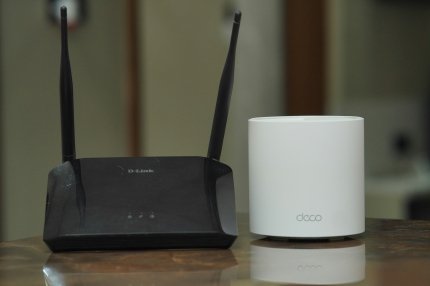
Reason #2. The provider's equipment was left without electricity
Connecting a router to a power bank only solves the problem of powering the equipment in your apartment.
However, the Internet also depends on the provider's network.
If a switch without backup power is installed in the house, it will stop working when the power goes out.
As a result, the apartment will not receive Internet access, even if the home router is fully functional.
Why is this especially important for FTTB?
With FTTB technology, fiber optic is brought to the house, and the Internet is often transmitted to the apartment using a regular Ethernet cable.
This uses active network equipment that requires electricity.
If the switch has battery backup, the Internet can work during a power outage.
If there is no backup power or the batteries are discharged, the connection will be lost.
How to check if your provider is working without power
The most accurate way is to find out the connection characteristics at a specific address.
Three important questions:
What technology is the apartment connected to - FTTB, GPON, xPON or another?
Does the provider's equipment have backup power?
How long can the network operate without external electricity?
As of November 2026, operators use different reservation systems.
For example, Kyivstar announces the modernization of its network's battery power supply, and Ukrtelecom offers optical solutions with long autonomy under certain technical conditions.
However, the stated operating time is not a guarantee of uninterrupted access during any failure. The actual autonomy depends on the condition of the equipment, batteries and network infrastructure.
If there is no signal from the provider, increasing the capacity of the home power bank will not restore the Internet by itself.
Reason #3. Incorrect router power voltage
Most regular USB outputs on power banks provide a base voltage of 5V.
At the same time, many home Wi-Fi routers are designed for 9 or 12 V, and individual models have different requirements.
Therefore, connecting via a random USB cable may not provide the required power.
How to find out how many volts a router needs
Find the sticker on the bottom of the case or look at the specifications of the stock power supply.
For example:
Output: 12V ⎓ 1A
This means that the stock adapter outputs 12 V DC and can provide up to 1 A of current.
Accordingly, its maximum output power is 12 watts.
For backup power, you need to provide exactly the voltage required by the manufacturer.
The source must also have sufficient current capacity.
Can I connect a 12V router to a 5V power bank?
Such a connection is only possible through a compatible solution that will provide the necessary 12 V.
For example, a special USB-to-DC cable may have a built-in boost converter.
Another option is to use a compatible power bank with USB Power Delivery and a cable that correctly matches the desired power mode.
However, just because it has USB-C or supports fast charging doesn't mean that a regular cable will automatically output 12V.
Some power banks only have certain voltage profiles available.
Do not connect the router to a power source with a voltage that does not meet its specifications. This may cause unstable operation or damage to the device.
Reason #4. The power bank does not provide enough power
Sometimes the router starts, but after a few minutes it reboots.
The reason may be insufficient output power of the power bank or converter.
This is especially noticeable during periods of increased load, when the router serves several devices simultaneously.
Why it's not just capacity that matters
The capacity of a power bank shows how much energy it can store.
But for powering a router, the maximum power that a specific output can provide is also important.
For example, a router with a 12V, 1A requirement may require up to 12W.
If a 5V to 12V converter is used, it requires more than 12W at the input due to energy losses.
At a nominal efficiency of 85%, the input power for a 12 W load would be approximately 14.1 W.
So, about 2.8 A will be required from the 5 V USB output.
A power bank with an output of 5 V / 2 A may be insufficient for such a load.
How to recognize unstable power supply
Pay attention to the following symptoms:
The router reboots periodically.
The indicators go out completely and then light up.
Wi-Fi disappears when connecting multiple devices.
The power bank stops supplying power.
The problem only occurs when running on battery power.
In such a situation, you need to check the output characteristics of the power bank, cable, and converter.
Don't just rely on the words "20,000 mAh" or "fast charging."
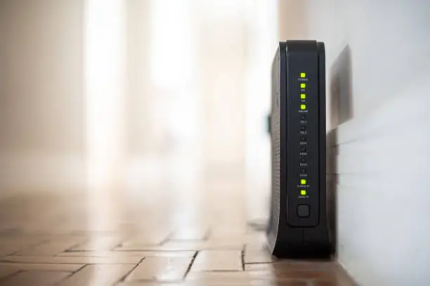
Reason #5. Incompatible USB-to-DC cable
To power a router from a power bank, cables with a USB plug on one end and a round DC connector on the other are often used.
However, they have different characteristics.
Some cables only transmit available voltage, others contain a converter, and still others are designed to work with specific USB protocols.
What to check before connecting
Voltage. The cable output must meet the requirements of the router.
Maximum current. The cable and converter must withstand the load.
Plug size. Common connectors have an outer diameter of 5.5 mm, but the inner diameter can be, for example, 2.1 or 2.5 mm.
Polarity: Many routers have a positive contact in the center, but you can't rely on this without checking.
Power bank compatibility: If the cable requires USB PD or another protocol, the source must support it.
Incorrect polarity can damage the electronics.
And a plug of the wrong size can create unstable contact, causing the router to periodically turn off.
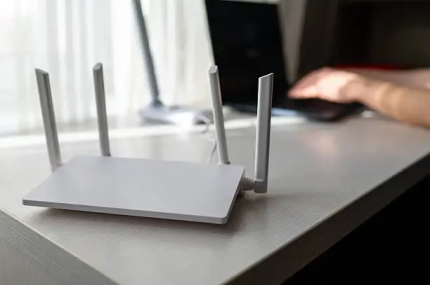
Reason #6. No connection via WAN port
WAN is a network interface through which the router connects to the provider's external network.
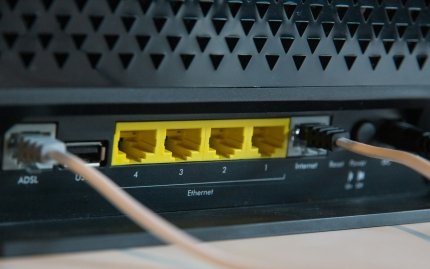
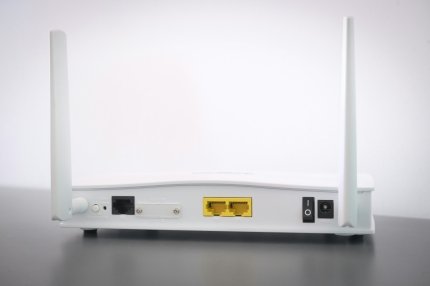
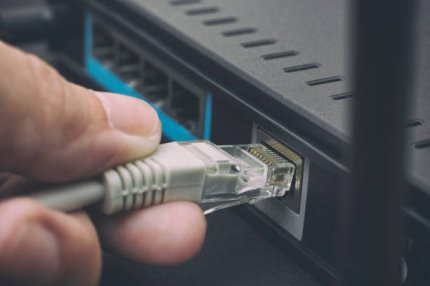
Typically, the incoming Ethernet cable is connected to a separate port labeled WAN or Internet.
If the cable is disconnected, damaged, or inserted into the wrong port, the router may continue to distribute Wi-Fi without Internet access.
What to check
Inspect the network cable between the ONU and the router.
Make sure the plug is securely inserted into the appropriate port.
If the connection is made directly via Ethernet, check the provider's incoming cable.
There is no need to bend or kink the fiber optic cable too much.
It has a different design than a regular network cable and can be damaged by excessive mechanical stress.
What does WAN IP 0.0.0.0 mean?
In some routers, you can check the status of the external connection via a web interface or mobile application.
If the Internet or WAN section displays the address 0.0.0.0 or a message stating that there is no connection, the router may not be receiving the necessary network parameters.
Possible reasons are lack of signal, DHCP problem, PPPoE authorization, or other provider settings.
TP-Link recommends checking the physical connection and Internet connection settings in such situations.
At the same time, you don't need to change the connection type at random: some providers use special settings.

Reason #7. The optical terminal is working, but there is no PON signal
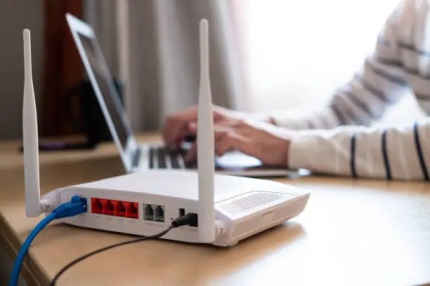
If you have GPON connected, it is important to check not only the ONU power, but also the optical connection indication.
Many terminals use the following notation:
Power — device power.
PON — registration status in the provider's optical network.
LOS — loss or insufficient level of optical signal.
LAN — connection via Ethernet.
The values of the indicators depend on the model.
What does red LOS mean?
On many GPON terminals, a red or flashing LOS indicates the absence or insufficient level of the optical signal.
TP-Link's documentation for GPON equipment states that the PON indicator can indicate the terminal's registration status, and the LOS can indicate problems with the optical signal.
For example, if Power is on but LOS is flashing red, the problem is probably not with the Wi-Fi itself.
There may be damage to the optical line, problems on the provider's side, or incorrect terminal connection.
Do not look into the fiber optic connector or attempt to repair the fiber optic cable yourself.
If the indication indicates signal loss, the line must be checked by the provider.
Reason #8. Network settings are broken
Sometimes all devices receive power, there is an optical signal, but there is no Internet access.
A possible cause is a software glitch or incorrect network settings.
These include DNS, DHCP, and external connection settings.
What is DNS and why does it affect the internet?
DNS is a system that translates domain names into IP addresses.
If the DNS server is unavailable or configured incorrectly, certain applications and websites may not open even though the external connection is working.
TP-Link recommends checking DNS settings if the router receives a WAN address but the user cannot open websites.
However, you should only change DNS after checking the physical connection and the performance of the provider's network.
If the WAN connection is completely down, changing the DNS will not restore the optical signal.
Will a reboot help?
Sometimes yes.
For a system with a single ONU, the secure sequence is usually as follows:
Turn off the router and optical terminal.
Wait approximately 30–60 seconds.
Turn on the ONU and wait for it to complete startup.
Turn on the router.
Check internet access.
If the manufacturer or provider specifies a different sequence, you must follow their instructions.
Do not confuse a normal reboot with the RESET button.
A factory reset may delete settings required to connect to the network.
Reason #9. The problem only occurred on the phone or laptop
Sometimes the router and provider work fine, but one device does not have access to the Internet.
For example, a laptop opens websites, but the phone shows the message "No network access."
In this case, the reason is likely related to the settings of the specific device.
How to check this
Connect another phone or laptop to the same Wi-Fi.
If the Internet works on the second device, start by checking the first one.
You can turn Wi-Fi off and on again, restart your device, or check your settings for obtaining an IP address and DNS automatically.
Sometimes deleting the saved Wi-Fi profile and then reconnecting helps.
However, this action will require you to re-enter your password.
If the Internet does not work on any device, you need to check the router, terminal, or provider's network.
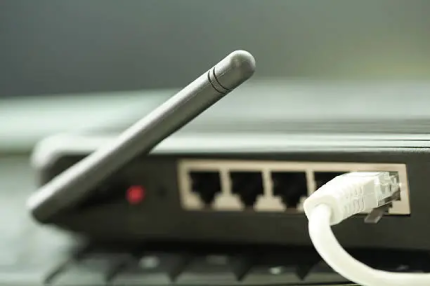
How to properly connect a router to a power bank
To ensure that your home Internet works during power outages, it is better to prepare a backup power system in advance.
Step 1. Determine the number of devices
If the Internet is connected via GPON with a separate terminal, backup power is usually required for two devices.
If the ONU and router are combined into one housing, it is sufficient to provide power to this equipment.
For FTTB, it is often necessary to power only the home router, provided that the provider's network has its own redundancy.
Step 2. Check the specifications of the power supplies
Record the voltage and maximum current for each device.
For example:
Router — 12 V, 1 A.
ONU — 12 V, 0.5 A.
In this hypothetical example, the total maximum power is 18 watts.
Actual consumption may be lower, but the power supply must withstand the required load.

Step 3. Choose a compatible source
For backup power, you can use a power bank with appropriate cables, a special mini-UPS, or a charging station.
The main thing is to ensure the correct voltage, sufficient power, and compatible connectors.
If you need to power two devices at the same time, check the power limits of each output and the total power of the source.
Step 4. Check operation before power outage
Connect the equipment to a backup source according to the manufacturers' instructions.
Make sure the router and ONU are running and the internet is stable.
After that, conduct a controlled test without mains power, without violating electrical safety regulations.
This will help identify a problem with cables, automatic switching, or power before a blackout occurs.
How many hours can a router work from a 20,000 mAh power bank?
The duration of operation depends not only on the nominal capacity of the power bank, but also on the power consumed by the equipment and losses during voltage conversion.
Capacity in milliampere-hours by itself does not indicate how many hours the system will operate.
For calculations, it is more convenient to use watt-hours — Wh.
Example of autonomy calculation
Let's assume that the power bank has a nominal capacity of 20,000 mAh at a battery cell voltage of 3.7 V.
The energy capacity is approximately:
20 A·h × 3.7 V = 74 W·h.
However, some energy is lost during voltage conversion and electronics operation.
For a rough estimate, let's assume that 60 Wh is usefully available.
| Equipment consumption | Approximate autonomy |
| 5 W | 12 hours |
| 8 W | 7.5 hours |
| 10 W | 6 hours |
| 15 W | 4 hours |
| 20 W | 3 hours |
These are calculated examples, not guaranteed characteristics of a specific power bank.
The actual result depends on temperature, battery condition, output voltage, converter efficiency, and load characteristics.
It is especially important to consider the consumption of the ONU and router together.
If each device is powered by a separate power bank, the autonomy of the system will be determined by the equipment whose source discharges first.
Powerbank or mini-UPS: which is better for internet without electricity?
A regular power bank is convenient for short outages and allows you to use one battery for different devices.
However, it does not always maintain continuous power when switching between charging and power delivery.
A mini UPS, or mini UPS, is designed for backup power supply of network equipment and can have multiple stabilized outputs.
| Characteristic | Powerbank | Mini UPS |
| Main purpose | Portable power for various devices | Backup power supply for equipment |
| Output voltages | Depends on model and protocols | Often provided with separate DC outputs |
| Automatic switching | Not always continuous | Can support continuous operation |
| Connecting ONU and router | Compatible outputs and cables required | Possible with appropriate power |
| Autonomy | Depends on battery and load | Also depends on the battery and load |
Not every device labeled UPS provides truly uninterrupted switching.
Before choosing, you need to check the switching time, output parameters, and the ability to work simultaneously with battery charging.
It is also worth considering that some power banks automatically turn off the output at low load.
For a router or optical terminal, this could mean an unexpected loss of power.
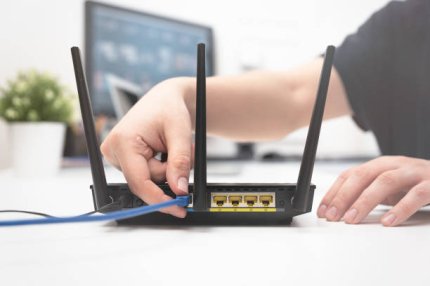
What to do if the Internet disappears just a few hours after disconnecting
This is an important diagnostic sign.
If the internet continues to work after a power outage, but disappears after two or three hours, there are two main possible explanations.
The first is that the home backup power supply ran out.
Second, the provider's backup system ran out of energy.
How to distinguish these situations
If the router or ONU has turned off, check the power bank charge and the operation of the outputs.
If both devices continue to work stably, but the external signal has disappeared, you need to check the connection indicators.
In the absence of a provider signal, a home power bank will not solve the problem.
In this case, you need to find out whether the network autonomy at your address is sufficient for the duration of the outages.
It is also worth considering that the Internet may come through equipment located outside your home.
Therefore, the presence of electricity in an apartment or entrance does not guarantee the operation of the entire network.
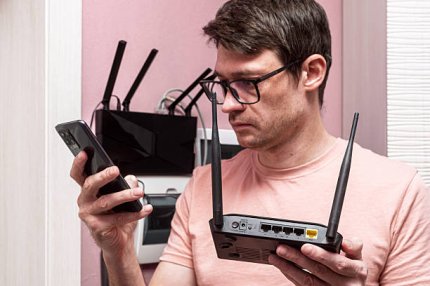
Why does the router reboot when switching power?
Sometimes the backup system works fine from the power bank, but every time the power goes out or comes back on, the router reboots.
The reason may be a short-term power interruption.
For example, a regular power bank may momentarily stop supplying power when switching between charging and powering the load.
Even a short pause is sometimes enough for the router to restart.
For continuous operation, a source is required that supports the appropriate switching mode taking into account the requirements of the equipment.
However, you should not create parallel connection schemes for power supplies, batteries, and power banks yourself.
Incorrect connection of sources can damage devices and create a risk of overheating.
How to check the Internet in five minutes: step-by-step instructions
If there is no power and the router is powered by a power bank, use the following sequence.
Step 1. Check another device. Connect a second phone or laptop to Wi-Fi.
Step 2. Inspect the router. Are the indicators lit steadily, are there no regular reboots?
Step 3: Find the ONU. If a separate optical terminal is installed, check if it is receiving power.
Step 4. Check the indicators. LOS, PON, WAN or Internet can help determine where the connection is lost. See the model instructions for the values.
Step 5. Inspect the network cables. Check the WAN connection and the Ethernet connection between the terminal and the router.
Step 6. Check the power bank. Compare the voltage, current, and cable capabilities with the equipment requirements.
Step 7: Restart the devices. If there is no sign of an electrical fault, perform a normal restart.
Step 8. Check your provider's network status. If there is no signal, find out if the equipment at your address was working during the outage.
This algorithm allows you to separate home power problems from network malfunctions.
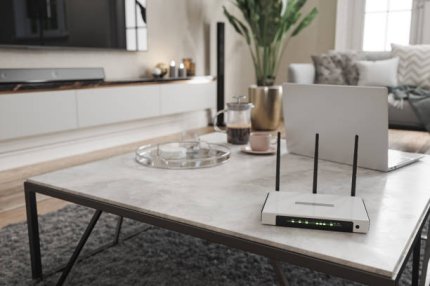
How to provide backup Internet if the provider does not work without power
If your home network does not have sufficient redundancy, you can prepare an alternative connection method.
Mobile Internet via smartphone
The easiest option is to enable hotspot mode on your phone.
After that, your laptop or other device will be able to use the mobile network via Wi-Fi.
However, during mass outages, mobile communications can also operate unstable due to the load on base stations and limitations on their power supply.
Therefore, the speed and availability of mobile Internet may vary.
Second SIM card or eSIM
You can use a mobile connection from another operator to make a reservation.
This allows you to have an alternative channel in case of problems with the main network.
However, the second operator does not guarantee communication if its equipment in the area is also left without power.
National roaming
Ukraine has national roaming, which, under certain conditions, allows subscribers to use the network of another mobile operator without changing their number.
The availability of services and mobile Internet capabilities may depend on the technical situation and current conditions.
This is a useful backup mechanism, but it is not a replacement for a completely stable home internet connection.
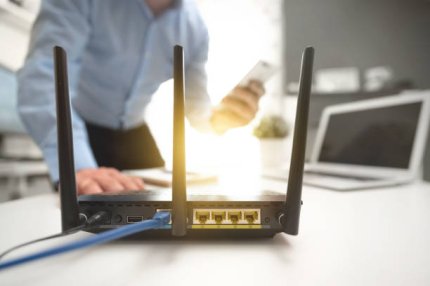
What mistakes should you avoid when powering your router from a power bank?
The most common mistake is to assume that having Wi-Fi on means having the Internet.
However, there are other problematic actions.
Connect a 12-volt router directly to a regular 5V USB. Without appropriate voltage conversion, the device may not work properly.
Use a random cable. The connector may fit physically, but have the wrong polarity or other parameters.
Forget about ONU. With GPON, without power to the terminal, there will be no Internet, even if the router is working.
Focus only on the capacity of the power bank. Output power and supported voltages are also important.
Press RESET. This may delete the provider's settings, and after the light appears, the Internet will also not be restored automatically.
Disassemble the provider's equipment. Optical terminals and other devices may be the property of the operator, and tampering with their design can lead to additional malfunctions.
Do not place the power bank near heat sources. Rechargeable devices should be used in accordance with the manufacturer's instructions, not covered with a cloth, or left in overheating conditions.
What to prepare at home for stable internet during blackouts
To avoid problems during the next outage, it's enough to check a few things in advance.
First, determine the connection technology and the number of devices that need power.
Then write down the specifications of the stock adapters and prepare a compatible backup source.
It is also useful to know how many hours of battery life the provider provides at your address.
For long outages, it is advisable to have a backup mobile communication channel.
If the internet is critically needed for remote work, it is worth testing the entire system before the first blackout.
Pay special attention to power switching, WAN connection stability, and equipment operation after battery discharge and recharging.
Conclusion
If the Wi-Fi router is powered by a power bank, but there is no Internet, the reason is not necessarily the router itself.
For GPON connections, it is most often necessary to check the power supply of the optical terminal ONU/ONT. For FTTB, it is important to find out whether the provider's equipment has backup power.
If all network devices receive a signal but are unstable, you need to check the voltage, power bank capacity, cables, and connection settings.
The main rule: backup power should support the entire Internet transmission chain, not just the Wi-Fi router. This is what determines whether you can stay online during a power outage.
FAQ: frequently asked questions about the router and power bank
1. Why does the router work from a power bank, but there is no Internet?
The most common cause is a switched off optical terminal, no provider signal or incorrect backup power. Wi-Fi can work independently of an external internet connection.
2. Do I need to connect the ONU to a power bank?
Yes, if you have GPON or other xPON technology with a separate optical terminal. Without power, the ONU will not be able to receive and transmit a signal. If the functions of the terminal and router are combined in one device, separate power supply for the ONU is not required.
3. Can I connect a 12V router to a regular power bank?
Yes, with a compatible converter or solution that supports the required voltage. A regular 5V USB output without conversion does not provide 12V. It is also important to check the current, connector, and polarity.
4. Why does the router constantly reboot from the power bank?
There may be insufficient output power, unstable operation of the converter, unsuitable cable, or automatic power off of the power bank. It is necessary to compare the characteristics of all components.
5. What does the red LOS indicator on the ONU mean?
On many optical terminals, it indicates the absence or insufficient level of the optical signal. The value depends on the model. If the terminal power supply is stable, the optical line must be checked by the provider.
6. Why does the Internet work for the first two hours after disconnection, and then disappear?
Your home power bank or the backup battery of your ISP's equipment may be running low. Check if your router and ONU continue to work and if the external signal has disappeared.
7. How long will a 20,000 mAh power bank last for a router?
With a nominal usable capacity of 60 Wh, a router with a consumption of 10 W will operate for approximately six hours. If the total consumption of the router and ONU is 15 W, the autonomy will be reduced to approximately four hours. Actual figures may vary.
8. Does GPON Internet work without electricity?
Yes, provided that the provider's network is operational and the necessary equipment in the apartment has backup power. GPON technology itself does not guarantee unlimited battery life.
9. Can I connect an Internet cable directly to a laptop without a router?
In some cases, yes, if the laptop has an Ethernet port and the provider allows such a connection. However, special authorization parameters or network settings may be required. For GPON, the optical terminal should work the same.
10. What is better to use for a router — a power bank or a mini UPS?
For short outages, a compatible power bank may be sufficient. A mini-UPS is convenient if you need automatic switching and separate outputs for the router and ONU. In both cases, you need to check the voltage, power, autonomy and compatibility with the specific equipment.

