
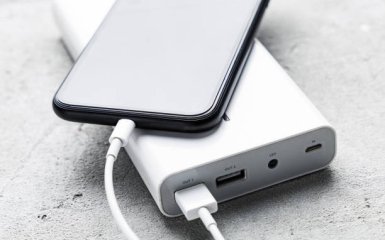
The power bank shows 60% charge, but suddenly stops charging the phone. After pressing the button, it works again, but after a few minutes the situation repeats. Sometimes the external battery turns off only when headphones or a smartwatch are connected, and it works without problems with a smartphone. If the power bank turns off, although there is still charge, the reason may be automatic shutdown due to low current consumption, overload, overheating, a faulty cable, inaccurate charge indication or worn battery cells. Not every such shutdown means a breakdown.
Modern models from Anker, Belkin, UGREEN, and other manufacturers use electronic power management systems. They can automatically turn off USB outputs to save power or protect equipment.
At the same time, a sudden shutdown while charging a regular smartphone, especially if there is unusual heating, requires careful inspection.
We'll figure out why a power bank stops working at 20%, 50%, or even 80% charge, how to determine the cause without disassembling the case, and when the device needs to be replaced.
How to understand why the power bank turns off by itself
First of all, it is important to determine what exactly stops working: the display, the USB output, or the entire device.
These are different situations.
For example, some power banks automatically turn off the screen after a few dozen seconds to reduce their own power consumption. At the same time, the phone continues to charge.
Belkin notes that on select models, the screen goes into power saving mode, although power transmission does not stop.
Therefore, a blank display in itself is not a sign of a malfunction.
| What's happening? | Possible cause | What to check |
| The screen is off, but the phone is charging | Automatic display off | Charging indicator on the phone |
| The headphones charge in a few seconds. | Current consumption too low | Low Current Mode |
| Phone stops charging after a few minutes | Cable, port, protection or malfunction | Another cable and USB output |
| The power bank turns off when connecting a laptop | Insufficient power or overload | Laptop power output and requirements |
| The indicator shows 40% and the device turns off | Inaccurate estimation of battery charge or wear | Behavior after full charge |
| Charging stops after heating | Temperature protection | Device temperature and operating conditions |
| The problem occurs with multiple connected devices | Total power limitation | Port characteristics |
| The power bank does not turn on at all | Deep discharge, protection or malfunction | Compatible charger |
The same symptoms can have different causes. Therefore, it is better to carry out diagnostics sequentially, without trying to disassemble the case at once.
Reason #1. The power bank turns off due to too little current consumption
This is one of the most common reasons why an external battery works with a smartphone but turns off when charging low-power accessories.
Many power banks automatically detect whether a device is connected to the USB port.
To do this, the electronics control the current consumption.
If the current drops below a set threshold, the power bank can decide that there is no load and turn off the output.
UGREEN explains that in different models, the automatic shutdown threshold can be approximately 30–90 mA.
This is an approximate range for individual devices, not a universal characteristic of all power banks.
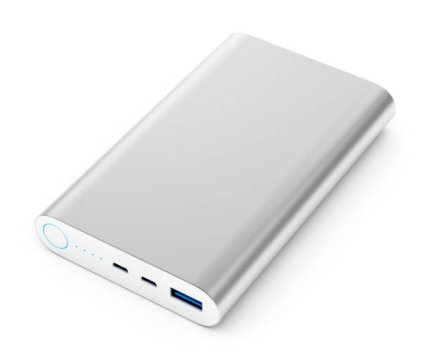
Which gadgets most often cause automatic shutdowns?
The problem may occur during charging:
Wireless headphones.
Smartwatches.
Fitness bracelets.
Smart rings.
Small Bluetooth devices.
Low-power USB lights.
Some low-power electronic devices.
For example, a headphone case may initially draw a lot of current, but then reduce the load dramatically after being partially charged.
As a result, the power bank automatically turns off, even though its battery is almost full.
This may be a normal operation of the power saving system and not a battery malfunction.
Reason #2. Low Current or Trickle Charging mode is not enabled
Some manufacturers have provided a special mode for charging low-power devices.
It can be called:
Low Current Mode.
Trickle Charging.
Low Power Charging.
Small Current Mode.
Its purpose is to maintain power to the USB output, even when the connected device consumes very little power.
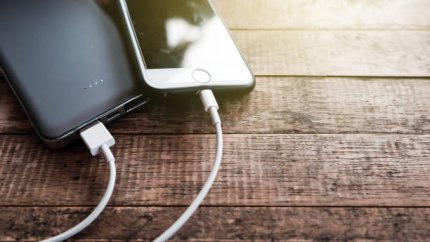
How to enable low current mode
The activation method depends on the specific model.
For example, some Anker power banks feature a double-press power button.
In some UGREEN devices, you need to press and hold the button for a set time.
Belkin also uses double-tap on select models that support Low Current Mode.
The active mode may be indicated by a special indicator, LED animation, or an inscription on the display.
However, you don't need to hold down buttons at random or use combinations designed for another model.
Why does the power bank turn off again after two hours?
Low current mode does not always work indefinitely.
Anker notes that on select models, Trickle Charging automatically turns off after two hours.
A similar restriction is provided for some Belkin power banks.
This is done to reduce unwanted energy consumption.
Therefore, Low Current mode is not necessarily suitable for continuously powering a device throughout the night.
If long-term continuous operation is required, the specifications of the specific power source should be checked.
Reason #3. The remaining charge is displayed incorrectly
The situation when the power bank shows 50% and turns off after a minute is sometimes associated with an inaccurate determination of the remaining energy.
The digital display does not display the directly measured amount of energy, but the result of the evaluation by the battery management system.
To do this, the electronics can take into account battery voltage, transferred charge, temperature, and other parameters.
Over time, indicators sometimes become less accurate.
Why interest rates can change dramatically
For example, the display shows 48% for a long time, then the value drops to 20%, and soon the power bank turns off.
This does not necessarily mean that the device actually consumed almost half of its rated energy in a few minutes.
Perhaps the system incorrectly estimated the remaining charge and adjusted the indicator after the load changed.
Manufacturer Cygnett explains that such symptoms may indicate the need for indicator calibration.
At the same time, a sharp drop in percentage can also occur due to physical wear and tear of the battery.
Therefore, it is impossible to accurately determine the cause based on the display alone.

Will calibrating the power bank help?
For certain models, manufacturers provide procedures for adjusting charge indicators.
However, there is no universal calibration method.
You should not intentionally repeatedly discharge any lithium-ion power bank until it is completely turned off, unless the manufacturer specifically recommends such a procedure.
Deep discharges by themselves do not restore the physical capacity of the battery.
If the device shuts down at a high percentage even after performing the manufacturer's recommended checks, there may be a problem with the battery or control system.
Reason #4. Overload protection is triggered
Each power bank has a maximum output power limit.
For example, the case may say 20W, 30W, 65W, or 100W.
This does not mean that it is capable of powering any device without limitations.
If connected equipment attempts to draw more power than the specific output is rated for, the protection system may reduce or stop the power supply.
Why does the power bank turn off while charging a laptop?
A laptop may require significantly more power than a smartphone.
For example, a certain model is designed for charging via USB-C with a power of 65 W.
If the power bank only supports 18–20 W, the laptop may charge slowly, not charge at all, or report insufficient adapter power.
In certain device combinations, repeated attempts to establish a connection are possible, after which charging is interrupted.
In this case, you need to take into account not only the maximum power of the power bank, but also the supported USB Power Delivery profiles.
The 65W label on the packaging does not guarantee that each USB port is capable of providing that much power individually.
Reason #5. Multiple devices connected at the same time
Many power banks have two or three USB outputs.
However, their total capacity may be less than the sum of the maximum values of the individual ports.
For example, a single USB-C can support fast charging up to 30W, but when using multiple outputs simultaneously, the total power will be divided between devices.
For certain models, Belkin explicitly states that when connecting multiple gadgets, the maximum total power is limited.
How to check for overload
Disconnect all gadgets and leave only one connected.
If the power bank works stably, gradually check other devices individually.
Then compare the behavior when connected simultaneously.
If the problem occurs with only a few gadgets, it is possible that the total power limit is triggered.
In this case, there is no need to use adapters or non-standard circuits to bypass the protection.
It is better to reduce the load to the level allowed by the manufacturer.
Reason #6. Damaged USB cable or connector
Even a fully functional power bank can periodically interrupt charging due to poor electrical contact.
The cause is a damaged cable, worn plug, or dirty USB port.
Instability is especially common when the cable is moving.
For example, the phone charges on a table, but stops charging when moved.
What you can check yourself
First, disconnect the cable and inspect the available connectors.
Check for any visible damage, deformation or signs of overheating.
Then try another working cable that meets the requirements of the connected device.
If the power bank has multiple outputs, check another port.
Belkin and UGREEN recommend these checks as one of the first steps in diagnosing charging issues.
Do not insert metal objects into the USB connector or repair damaged contacts yourself.
If the port has melted, changed color, or becomes unusually hot, you should stop using the device.
Reason #7. The power bank is overheating
The power bank may become warm while charging and transferring energy.
Some energy is lost during the operation of electronic converters and the battery itself.
Moderate heating under high load does not always indicate a malfunction.
However, excessive temperature can activate protection.
When the temperature protection is triggered
Anker and Belkin note that their individual models monitor temperature and can automatically limit power.
For example, one of Belkin's power banks has a power output reduction feature after a certain period of intensive use.
This behavior is a standard protection mechanism, not necessarily a malfunction.
But if the device regularly shuts down completely even under light load, additional testing is needed.
What to do if the power bank gets very hot
If the case becomes unusually hot, stop charging and disconnect connected devices if safe to do so.
Do not cover the power bank with a cloth or leave it on a bed, sofa, or in direct sunlight.
Allow the device to cool naturally according to the manufacturer's instructions.
Do not put it in the refrigerator or freezer.
Sudden cooling is not a proper way to fix an electrical fault.
If deformation, odor, leakage, or smoke occurs, the device cannot be reused.
Reason #8. The power bank has overcooled
Low temperatures also affect the performance of lithium-ion batteries.
In the cold, the internal electrical resistance of the battery increases and its ability to deliver energy under load decreases.
As a result, the device may turn off even if there is residual charge.
Anker confirms that some power bank models have temperature protection that responds to both overheating and excessive cooling.
Why does this happen in winter?
Imagine a power bank that has been lying in the outside pocket of a backpack in the cold for several hours.
After connecting a smartphone, it may initially work, but later turn off due to battery limitations or protective electronics.
This does not necessarily mean that the battery is permanently damaged.
However, you should not charge a severely overcooled power bank.
First, move it indoors and allow it to gradually warm up to an acceptable temperature.
Do not use a hair dryer, hot radiator or other sources of intense heat.
Reason #9. The power bank does not support the required charging mode
Modern USB-C devices can use different power negotiation protocols.
Among them are USB Power Delivery, PPS and other standards.
If the power bank, cable, and connected device do not support a compatible mode, charging may not start or may operate with limited power.
However, not every incompatibility leads to the power bank turning off.
In many cases, devices are downgraded to a lower standard power.
Why it's important to check USB-C PD
For example, a laptop may require a specific power profile via USB-C.
If the power bank is unable to provide it, the laptop may refuse to charge.
Individual models also have different USB-C port capabilities.
One port can support both input and output power, while the other can only support output.
For stable operation, it is necessary to check the characteristics of a specific port.
You don't need to focus only on the same shape of the plug.

Reason #10. Worn battery or faulty electronics
Lithium-ion batteries gradually lose capacity even with proper use.
Their internal resistance may also increase with age.
As a result, the power bank is able to show a high percentage of charge, but turn off when connecting a relatively powerful load.
The reason may be a drop in the voltage of the battery cells below the threshold controlled by the electronics.
Similar symptoms sometimes occur due to a malfunction of the battery management system.
How to distinguish wear and tear from normal automatic shutdown
If the power bank turns off only when charging headphones, but works stably with a smartphone, a regular low-current shutdown is more likely.
If the device turns off with different phones, cables, and ports, suspicion of an internal malfunction increases.
This is especially true if the power bank previously worked normally, but its autonomy gradually decreased.
However, it is impossible to accurately determine the condition of the battery cells without appropriate diagnostics.
Do not disassemble the power bank, short the contacts, or replace the lithium cells yourself without proper qualifications.
What to do if the power bank turns off at 20%, 50% or 80%
The percentage at which a shutdown occurs does not always directly indicate the cause.
For example, at 80%, temperature protection may be triggered.
At 50% - automatic shutdown at low load.
And at 20%, the system may inaccurately estimate the actual remaining energy.
Therefore, it is important to analyze not only the numbers, but also the working conditions.
If it turns off at 80%
Check if the problem occurs with all connected devices.
If it only appears when charging a low-power accessory, check Low Current mode.
If the power bank turns off under high load, there may be a problem with the power or temperature protection.
If it turns off at 50%
First of all, try a different cable and a regular smartphone.
Then check if the problem recurs after charging the power bank itself normally.
If the percentages on the display change in sudden jumps, this may indicate an inaccurate indication or problems with the battery.
If it turns off at 10–20%
A possible option is that the actual available energy reserve is already significantly lower than the indicated one.
This is especially true for worn batteries or systems with inaccurate charge estimation.
You shouldn't draw conclusions based on just one case.
However, regular premature shutdown under the same conditions is grounds for diagnosis.
How to check a power bank in 10 minutes: step-by-step instructions
If the case is not damaged, there is no unusual smell, overheating, or other dangerous signs, you can perform a basic check.
Step 1. Disconnect all devices
Make sure that multiple loads are not connected to the power bank at the same time.
Wait a few minutes.
Step 2. Check the battery level
Press the display button, if provided.
Remember that LED indicators often only show an approximate charge level.
Step 3. Connect one smartphone
To test, use a regular phone with a compatible cable.
If it charges stably and the power bank turns off only with headphones, the problem may be due to low current consumption.
Step 4. Replace the cable
Use another working cable with the appropriate specifications.
Do not use damaged adapters or cables with signs of overheating.

Step 5: Try a different USB port
If it is provided by design, check another exit.
This will help determine if the problem is related to a specific connector.
Step 6. Check the temperature conditions
The power bank should not be severely overheated or overcooled.
If the temperature exceeds the limits set by the manufacturer, the test should be postponed.
Step 7. Check the low current mode
If the problem is with headphones or a smartwatch, look for support for Low Current or Trickle Charging in the specifications.
Activate it only in the manner provided by the manufacturer.
Step 8. Check operation after charging
If there are no dangerous signs, charge the power bank with a compatible adapter according to the instructions.
Then repeat the test with one device.
If the shutdown occurs repeatedly regardless of the cable, port, and load, service diagnostics are required.
Why does the power bank turn off when the router is powered on?
During power outages, power banks are often used to power Wi-Fi routers and optical ONU/ONT terminals.
However, such devices may have different power requirements than smartphones.
For example, a router may require 12V DC, while a regular USB output on a power bank provides 5V without additional negotiation.
Sometimes a special cable with a voltage converter is used for connection.
Why does the router reboot every few minutes?
Possible reasons:
Insufficient USB output power.
Incorrect voltage after conversion.
Unstable cable or contact.
Power bank protection tripping.
Automatic shutdown at low load.
Power interruption when switching modes.
You need to check 5 to 12 V converters especially carefully.
They consume more input power from the power bank than they transmit to the router, due to inevitable losses during conversion.
For example, to provide 12 W of output at 85% efficiency, approximately 14.1 W of input will be required.
If the USB port is limited to 10W, such a system may operate unstable or fail to start.
For constant backup power for the router, it is more advisable to use a source that directly supports the required voltage, power, and continuous operation.
Why does the power bank turn off when it is connected to charging?
Some users simultaneously charge a power bank from an outlet and power another device from it.
This mode is called pass-through charging .
However, not all power banks support it.
Even if a model has this feature, there may be limitations on power, output type, or connection method.
Belkin, for example, sets different pass-through charging conditions for different models.
On some devices, the feature is available, on others, only in a certain power mode.
Why does the internet disappear when the power goes out?
If the power bank is simultaneously plugged into an outlet and powering the router, it may briefly interrupt the power output during a power outage.
For a smartphone, this usually only means a short charging pause.
And the router may completely reboot.
Therefore, support for pass-through does not always mean support for the UPS uninterruptible power supply function .
For continuous operation of network equipment, it is necessary to check whether a specific device is able to switch without a pause, which is critical for the router.
Homemade parallel connection schemes for batteries and power sources should not be used.
Why does the power bank show 100% but discharge quickly?
A full charge according to the indicator does not mean that the battery retains its original capacity.
As the battery ages, it may lose its ability to store energy.
For example, an old power bank may charge to the displayed 100%, but provide significantly less operating time than a new one.
The percentages on the display reflect an estimate of the current available capacity.
They don't necessarily show how much power is left compared to the original specifications of the new device.
What is the difference between mAh and Wh?
The capacity of power banks is often indicated in milliampere-hours - mAh.
But to compare stored energy, it is more convenient to use watt-hours - Wh.
For example, for a conventional power bank with a capacity of 20,000 mAh with a nominal battery voltage of 3.7 V, the calculation looks like this:
20 A·h × 3.7 V = 74 W·h.
This is the nominal energy reserve of the battery cells, not the guaranteed amount of energy at the USB output.
Some energy is lost during voltage conversion, electronics operation, and other factors.
Therefore, it is impossible to directly compare a 20,000 mAh power bank to the capacity of a phone's battery and conclude that it will definitely charge a smartphone a certain number of times.
Does rebooting the power bank help?
In some models, after the electronic protection has been triggered, normal operation may resume after disconnecting the load and reconnecting it.
Some manufacturers also provide special procedures for resetting the electronics.
However, there is no universal button combination for all power banks.
For example, instructions for certain Anker models include specific restart methods.
These actions cannot be automatically transferred to other devices.
Do not connect the inputs and outputs of the power bank with random cables in an attempt to perform a "reset".
Incorrect experiments may cause damage to the equipment.
If the power bank has dangerous symptoms, no restart attempts should be made.
When automatic shutdown is normal
Not every charging interruption indicates a breakdown.
For many models, the following situations may be normal:
Power off after disconnecting the phone. The power bank goes into standby mode to save energy.
Shutdown while charging a low-power accessory. The current has dropped below the automatic control threshold.
Display blackout. The screen turns off, but the power output continues to operate.
Power reduction at high load. Electronics monitors temperature.
Charging stops after the phone battery is full. The load has decreased or disappeared.
In each case, you need to check the instructions for the specific model.
If the power bank regularly turns off during normal phone charging and the problem is not explained by the normal operation of the protection, this is a reason for diagnostics.
When is it dangerous to use a power bank?
Lithium-ion batteries require careful handling.
The Australian Competition and Consumer Commission (ACCC) emphasizes in its Product Safety guidelines that damaged power banks can pose a risk of fire and injury.
The following signs are especially dangerous:
The case is swollen or noticeably deformed.
The device becomes unusually hot.
A sharp chemical smell appeared.
Noticeable leaks or gas emissions.
There are traces of melting or charring.
The power bank started smoking.
The battery has suffered severe mechanical damage.
If at least one of these signs appears, use and charging should be stopped.
Do not puncture the case, squeeze it, or attempt to disassemble the battery yourself.
If the device is smoking or on fire, you should move to a safe distance, warn others and call the fire department on 101.
Do not attempt to carry a power bank that is burning or smoking heavily.
How to properly store a power bank so that it works longer
Storage conditions affect the condition of the battery and the operation of the electronics.
It is best to keep the power bank in a dry place away from direct sunlight and excessive heat.
Do not leave it on the dashboard of your car or near heating appliances.
If the device will not be used for a long time, manufacturers often recommend storing it partially charged.
For example, Belkin recommends a 50–75% charge before long-term storage for one of its models.
However, the recommended range may vary depending on the model.
You should also not leave the power bank completely discharged for many months.
Due to self-discharge, the battery can enter a state in which it becomes difficult to charge it further.
For long-term storage, follow the manufacturer's instructions and periodically check the condition of the device.
When is it better to replace a power bank?
Repairs are not always economically and technically justified.
If the problem is related to a faulty cable, simply replace the accessory.
But if the power bank regularly turns off at normal temperatures, with different cables, and when connecting several working devices in turn, there may be an internal malfunction.
This is especially true for models that have already significantly lost autonomy.
It is important to consider:
The age of the power bank.
Usage history.
Availability of a warranty.
Frequency of unexpected shutdowns.
Condition of the case and connectors.
Actual available capacity.
The cost of professional diagnostics.
If the manufacturer provides warranty service, you should not open the case yourself.
If the battery is swollen or shows any other signs of damage, the device should be removed from service, regardless of its age.
Lithium-ion batteries cannot be disposed of with normal household waste. They must be taken to a specialized recycling facility, taking into account the rules for accepting damaged batteries.

Conclusion
The power bank may turn off even when there is a significant amount of remaining charge, and this does not always indicate a malfunction.
If the problem occurs only with headphones, a smartwatch, or another low-power device, it's worth checking for support for Low Current mode.
If charging is interrupted when connecting a laptop or multiple gadgets, the cause may be due to power limitations.
A sharp drop in percentage, regular shutdowns with working cables, and a significant reduction in autonomy may indicate inaccurate indication or battery wear.
The most important thing is to distinguish between normal protection activation and signs of a dangerous malfunction. Overheating, swelling of the case, leakage, or smoke are reasons to immediately stop using the power bank.
FAQ: Frequently asked questions about a power bank that turns itself off
1. Why does the power bank turn off even though it shows 50% charge?
The reason may be inaccurate estimation of residual energy, protection tripping, insufficient load or battery cell failure. You need to check the behavior with another cable and device at normal temperature.
2. Why does the power bank turn off after 10–20 seconds?
One possible reason is that the connected gadget is consuming too little current. The system may mistakenly determine that the USB port is not being used. For compatible models, Low Current or Trickle Charging mode helps.
3. How to prevent the power bank from turning off automatically?
If the model supports a special low-current mode, it can be enabled according to the instructions. If the shutdown is caused by overload or overheating protection, the protection mechanisms cannot be bypassed.
4. Why does the power bank turn off while charging the headphones?
Wireless headphone cases can draw very little current, especially at the end of a charge. Some power banks interpret this as no device being connected and automatically turn off the output.
5. Why does the power bank turn off at 80%?
A high percentage of charge does not exclude the triggering of thermal protection, overload or automatic shutdown due to low current. If the problem occurs with different devices, there may be a malfunction of the electronics or incorrect indication.
6. Can I calibrate the power bank?
For some models, manufacturers provide for calibration of the charge indicator. However, there is no universal procedure. You should follow the instructions for a specific device, and not perform multiple full discharges at random.
7. Why does the power bank stop charging the laptop?
It may not be providing the required power or supporting the appropriate USB Power Delivery profile. Other causes may include the cable, power distribution between ports, and electronic protection tripping.
8. Why does the power bank turn off when the router is powered?
Possible reasons include insufficient USB output power, incorrect voltage converter, unstable cable, or automatic shutdown at low load. The router must be supplied with the voltage and power specified by its manufacturer.
9. Is it normal for the power bank to turn off by itself after the phone is fully charged?
Yes, this is standard behavior for many models. When the phone stops consuming enough power, the power bank can automatically turn off the USB output so as not to waste its own charge.
10. How do I know if the power bank is broken?
A malfunction is suspected if the device regularly turns off with various working cables and gadgets, incorrectly displays the charge, or has significantly lost autonomy. If the case is swollen, there is strong heat, odor, or smoke, you can no longer use it.

