
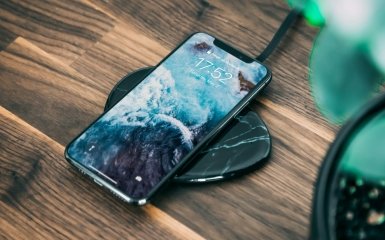
Fast charging has become a common feature on modern smartphones. Some models charge up to 50% in half an hour, while others support even higher power and promise a near-full charge in a short time. This raises a logical question: does fast charging damage a smartphone's battery faster than a regular adapter?
The short answer: fast charging can put a strain on your battery, but it’s not a “sentence” to your smartphone in and of itself. The biggest culprits for battery damage are overheating, constantly charging at 100%, frequent deep discharges, poor-quality chargers, and the habit of charging your phone in inappropriate conditions. Modern smartphones have battery management systems that monitor temperature, current, and voltage, so the real risk depends not only on the charging power, but also on how you use your phone.
How a smartphone battery works
Most smartphones use lithium-ion or lithium-polymer batteries. They work by moving lithium ions between two electrodes, a cathode and an anode. During charging, the ions move in one direction, and during discharging, they move in the opposite direction. The IEEE describes lithium-ion batteries as rechargeable electrochemical systems in which lithium ions move between positive and negative electrodes through an electrolyte.
When a battery is new, it can store more energy. Over time, its capacity decreases. This is a normal aging process called battery degradation. It happens even when the user charges the phone very carefully.
Wear is affected by:
number of charging cycles;
temperature;
prolonged stay at a high charge level;
deep discharges;
charger quality;
charging power;
active use of the phone while charging;
features of a specific smartphone model.
So the question isn't whether you should use fast charging at all. It's more important to understand when it's safe, when it's not, and which habits really shorten battery life.
How is fast charging different from regular charging?
Regular charging transfers less power to the battery, so the process takes longer and usually creates less heat. Fast charging works differently: the charger, cable, and smartphone agree on the allowable voltage and amperage, then the phone receives more power in a shorter time.
This does not mean that the adapter “forces” all the power into the battery. The smartphone itself controls the charging process. That is why the same charging unit can charge different devices at different speeds.
Modern standards like USB Power Delivery are designed to coordinate the delivery of power between a power source and a device. USB-IF publishes specifications and test procedures for USB Power Delivery and USB Type-C, confirming that fast charging is not a chaotic current delivery, but a controlled process with compatibility rules.
However, more power almost always means more heat, and heat is one of the main factors that can accelerate battery aging when fast charging is used.
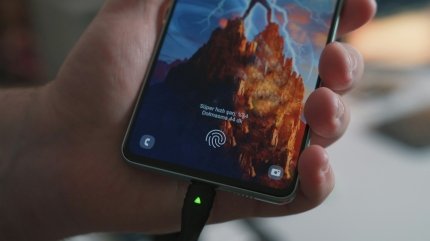
Does fast charging really damage the battery?
Fast charging doesn't "kill" the battery right away. But it can accelerate degradation if it's often accompanied by high temperatures, full charging to 100%, using the phone under load, or using low-quality accessories.
IEEE lists the growth of the interfacial layer on the anode, cracking of cathode particles, electrolyte decomposition, and the risk of lithium precipitation during rapid charging as mechanisms for the degradation of lithium-ion batteries.
Battery University also notes that manufacturers of lithium-ion power cells often recommend lower charging rates to extend life, although some cells designed for high power can handle higher charging currents with less stress.
For a smartphone, this means a simple conclusion: if the manufacturer has provided fast charging, you can use it. But constantly charging your phone at maximum power in the heat, in a case, while playing games, or in the sun is a worse scenario for the battery than slow charging under normal conditions.
Why heat is the battery's main enemy
The battery heats up when charging. This is normal. But excessive heat accelerates chemical processes that reduce battery capacity. That's why smartphone manufacturers constantly emphasize temperature.
Apple states that the iPhone battery heats up when charging, and to reduce the effects of heat, iPhone gradually reduces the charging current as the battery nears full charge. Apple also advises against using or charging the device in ambient temperatures above 35°C, as this can irreversibly shorten battery life.
Samsung also calls the optimal usage range for Galaxy 0–35°C and notes that prolonged use or charging in extreme temperatures can accelerate battery degradation.
Therefore, the worst-case scenarios for a battery are not just “fast charging,” but fast charging in bad conditions:
the phone is lying in the sun;
smartphone is charged in the car in the summer;
the device is in a thick case and does not dissipate heat well;
playing a game, editing a video, or navigating at the same time;
wireless charging is used, which additionally warms the case;
The charger or cable is of poor quality.
If your smartphone becomes noticeably hot, it's best to remove the case, stop heavy tasks, put it in a cooler place, or temporarily disconnect it from charging.
Why does charging slow down after 80%?
Many users notice that their smartphone charges quickly to 50–70%, and then charges more slowly. This is not a malfunction, but a normal logic of battery protection.
Lithium-ion batteries typically charge in stages. The battery can initially accept a higher current, then as the voltage increases and the charge approaches its maximum, the current gradually decreases. Apple explicitly explains that the iPhone reduces the charging current as the battery approaches full charge to reduce the heat build-up and prevent overheating.
That's why "fast charging to 50%" sounds more realistic than "equally fast charging from 0 to 100%. The latter percentages are usually the slowest because the system is more careful with the battery.
For everyday use, this means that if you need to leave the house quickly, it is enough to charge your phone to 60–80%. It is not necessary to constantly wait for 100%.
Can I leave my smartphone charging overnight?
A modern smartphone will not endlessly “recharge” the battery after 100%. The controller stops active charging, and then may briefly resume it when the level drops slightly. That is, the classic recharge, as in old or primitive systems, usually does not occur.
Apple says that iPhone automatically stops charging when the battery is fully charged and resumes charging when it drops below 95%. However, the company recommends unplugging your iPhone when it's fully charged whenever possible, and Optimized Battery Charging reduces the amount of time your device spends fully charged.
Google also explains for Pixel that the Charging optimization feature can reduce phone standby time by 100%, and to prioritize long-term battery life, you can limit charging to 80% on supported models.
So, overnight charging isn't a disaster. But if your smartphone is sitting at 100% for hours every night, especially in a warm place, it's not the best mode for longevity. Optimized charging or limiting to 80% can be helpful if your phone has such settings.
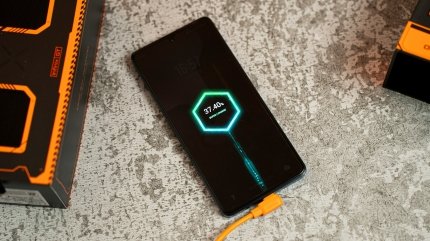
Should I keep the charge between 20% and 80%?
The 20–80% rule is often mentioned in battery advice. Its point is to avoid keeping the battery in extreme states: very low or very high charge.
For everyday use, this is a reasonable guideline, not a strict law. There is no need to panic if the phone is charged to 100% before the trip or is discharged below 20%. The problem is not a one-time incident, but a regular scenario: discharging the smartphone to zero every day and then keeping it at 100% for hours.
Google explicitly suggests limiting charging to 80% as a mode to extend Pixel battery life if the user usually gets enough charge for a day.
The practical approach is as follows:
for a normal day, you can charge up to 80–90%;
before a trip or a busy day, it is normal to charge to 100%;
you should not regularly discharge the phone to zero;
no need to constantly keep your smartphone on charge unnecessarily;
If there is a battery protection function, it should be turned on.
Fast charging, wireless charging and power bank: which is safer?
There is no one-size-fits-all solution that is always best. Safety depends on the quality of the accessories, the temperature, and the usage scenario.
Fast wired charging with a quality adapter is usually efficient and controlled. If the smartphone and charger are compatible, the phone will choose the allowable power.
Wireless charging is convenient, but it's often less efficient and can heat up the case more. If your phone gets hot on a wireless charging pad, it's best to use it for short bursts of charging or switch to a wired adapter.
A power bank is safe if it is of good quality, has the necessary charging protocols, and a proper cable. Problems often arise with cheap, unknown accessories, unstable voltage, or damaged cables.
Samsung recommends using genuine charging cables and adapters, as an incompatible charger can damage the port or battery. Google also warns that other adapters may charge slowly, not charge at all, or damage your phone or battery.
Common mistakes that age your battery faster
Fast charging often gets more criticism than it deserves. In fact, battery life is often shortened by habits that users repeat every day.
Charging your phone in the heat
Charging your smartphone in a car in the sun, on a windowsill, or under a pillow is a bad scenario. Even a regular adapter in such conditions can be more harmful than fast charging in a cool room.
Playing games or running heavy tasks while charging
Games, navigation, video calls, video editing, and mobile internet use heat up the processor and battery under load. If the phone is also charging quickly at this time, the heat becomes even more.
Constantly charging to 100% without need
A full charge is not always necessary. If you have 70–80% by evening, limiting charging can be useful.
Discharge your smartphone to zero
Modern batteries do not require a full discharge before charging. Deep discharges are best avoided as a daily practice.
Use cheap adapters and cables
A bad cable can get hot, transfer power poorly, or cause unstable charging. This is especially important for fast charging, as compatibility between the phone, adapter, and cable is required.
Charge in a thick case
Some cases impair heat dissipation. If your smartphone gets noticeably hot, you should remove the case while charging.
How to properly charge your smartphone every day
For most users, a complex “ritual” charging pattern is not necessary. A few habits that reduce heat and do not keep the battery under stress are enough.
Practical rules:
use a quality adapter and cable;
do not charge your phone in the sun or in a hot car;
remove the case if the smartphone gets hot;
do not run heavy games during fast charging;
turn on optimized charging, if available;
for a daily scenario, it is not necessary to charge to 100%;
do not bring the battery to zero regularly;
use optimization mode for night charging;
do not cover the phone while charging;
Replace the cable if it heats up, is damaged, or charges erratically.
When fast charging is really necessary
Fast charging is a tool, not a mode you should always use. It's very convenient in situations where time is short:
before leaving the house;
in transit;
between meetings;
during travel;
when the phone suddenly runs out of battery;
if you need to quickly get 30–50% charge.
But if your phone is charging overnight or sitting on a table for a few hours, maximum power isn't always needed. In such scenarios, slower charging or limiting it to 80% may be better for long-term battery life.
Do I need to turn off fast charging in the settings?
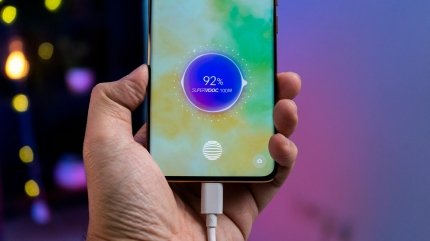
Some Android smartphones allow you to turn off fast or super fast charging. This can be useful if your phone gets very hot, is charging overnight, or is being used in a warm room.
It's not necessary to turn off fast charging forever. It's more rational to use it when needed. For example, during the day, quickly charge your phone before going out, and at night, charge it more slowly or with the battery protection function.
For iPhone, Pixel, Samsung, and other modern smartphones, it's worth checking the available battery settings: optimized charging, limit to 80%, battery protection, adaptive charging, power saving mode.
Conclusion
Fast charging is not automatically harmful to a smartphone. If the manufacturer has provided such a feature, and the user uses a quality adapter, a normal cable, and does not overheat the device, fast charging can be completely safe for daily use.
The real enemy of a battery isn't speed itself, but a combination of high power, heat, full charging, deep discharges, and bad accessories. The best approach is to use fast charging when you really need it, enable battery protection, don't overheat your phone, and don't keep it at 100% for longer than necessary.
For most users, this will give a better result than trying to charge a smartphone according to strict rules or completely abandoning convenient technology.
FAQ
Does fast charging damage a smartphone's battery?
Fast charging can accelerate degradation if accompanied by overheating, constant charging to 100%, or the use of poor-quality accessories. However, the fast charging provided by the manufacturer does not in itself mean rapid battery failure.
Can I charge my phone with fast charging every day?
Yes, if your phone supports this feature, using a compatible adapter will prevent your smartphone from overheating. However, for overnight charging or extended network connection, it is better to use optimized charging or charge limiting, if available.
What is more harmful to a battery: fast charging or overheating?
Overheating is usually more dangerous. Fast charging becomes more problematic when it causes excessive heat or is used in hot conditions.
Do you need to charge your smartphone only to 80%?
It's not mandatory, but it's a good guideline for everyday use. If you're getting 80% by the end of the day, limiting the charge can help reduce long-term battery wear.
Is it harmful to leave your phone charging overnight?
A modern smartphone stops active charging after 100%, but leaving it fully charged for a long time can put additional stress on the battery. It is better to use optimized charging or battery protection mode.
Can I use my phone while charging?
It's possible if these are light tasks. But games, video editing, navigation, or video calls while fast charging can cause the smartphone to heat up a lot, which is undesirable for the battery.
Is wireless charging harmful?
Wireless charging isn't harmful in itself, but it can make your phone heat up more. If the case feels noticeably warm or hot, it's best to switch to wired charging or charge your phone in shorter sessions.
Which charger is better to use?
It's best to use an original or certified charger that's compatible with your smartphone. Not only the adapter, but also the cable, charging protocols, and the quality of the accessories are important for fast charging.
Do I need to fully discharge the battery before charging?
No. Modern lithium-ion batteries do not require regular full discharge. On the contrary, frequent discharges to zero may be undesirable.
When should you change your smartphone battery?
Signs of a worn-out battery: the phone discharges quickly, turns off in cold weather or under high load, charges slowly, gets very hot, shows battery errors, or has a noticeably reduced capacity in the settings. In such cases, you should contact an authorized service.

